Fraudcast | Insurance & finance fraud detection
Set fraud search criteria.
Find related cases.
Scenarios and plain-language search cut query setup and repeat searches to find cases for investigators.
Deploy & PoC inquiry
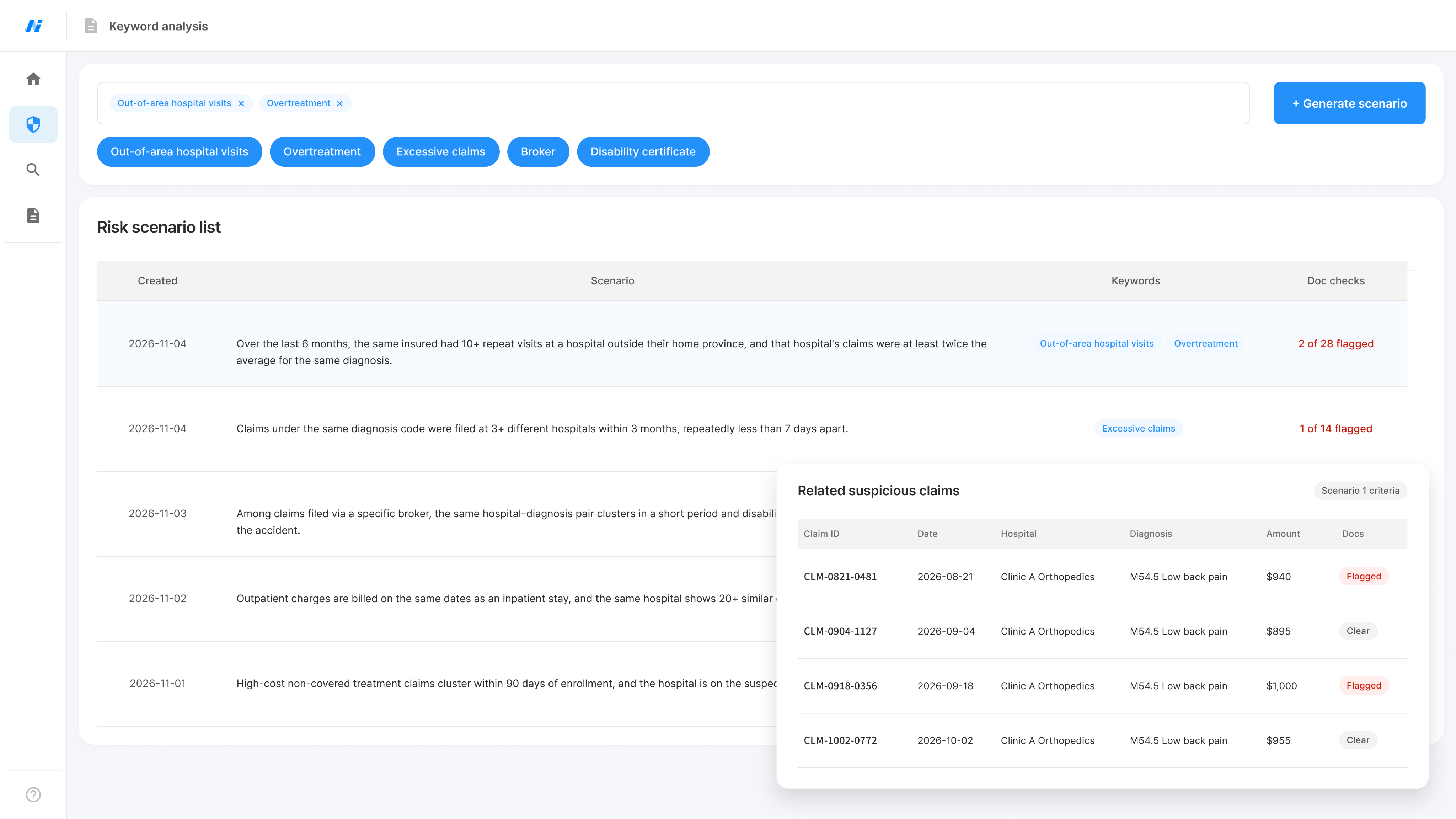
Sample screen
Data grows. Finding cases to investigate is still complex.

Repetitive queries
Each change in criteria means rewriting queries and searching for related data again.

Searches limited to familiar types
Existing rules and experience limit how widely you can explore new fraud patterns.

Repeated searches for similar cases
Each suspicious case means searching for and comparing similar claims again.
CORE TECHNOLOGY
Search in plain language. Explore new possibilities with scenarios.
Turn scenario criteria or investigators' questions into searches that return cases for review.
01
Generate scenarios
or
Ask in plain language
02
Build search criteria
03
Query data
04
Return related cases
05
Investigator review
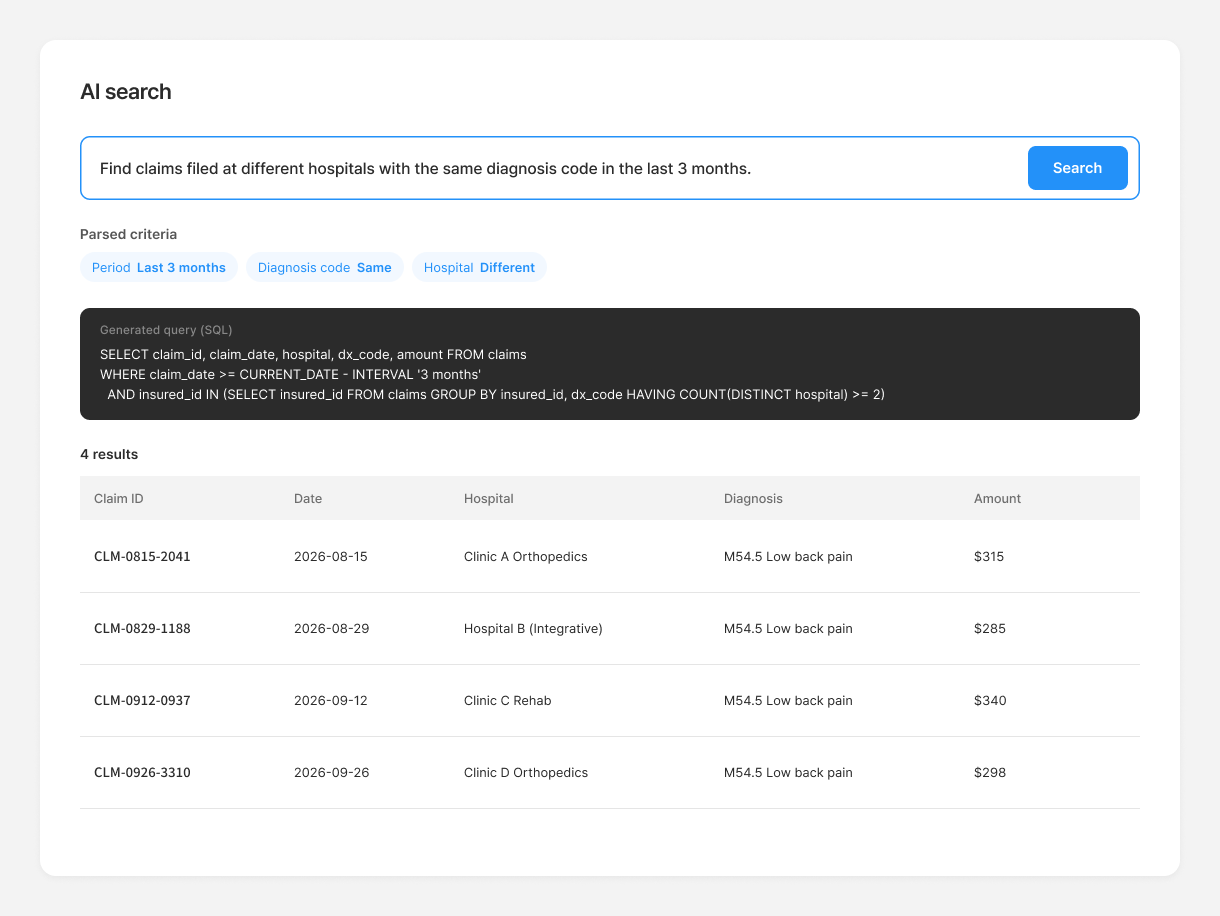
AI Search · Ask in words
Skip complex queries.
Describe your criteria.
Turn everyday work questions into query criteria. Find related cases without writing SQL.
Input
Dates, hospitals, diagnosis codes, amounts and more
How it works
Generate runnable SQL based on the question's meaning and your data structure.
How to use the results
Review matching claim histories and cases
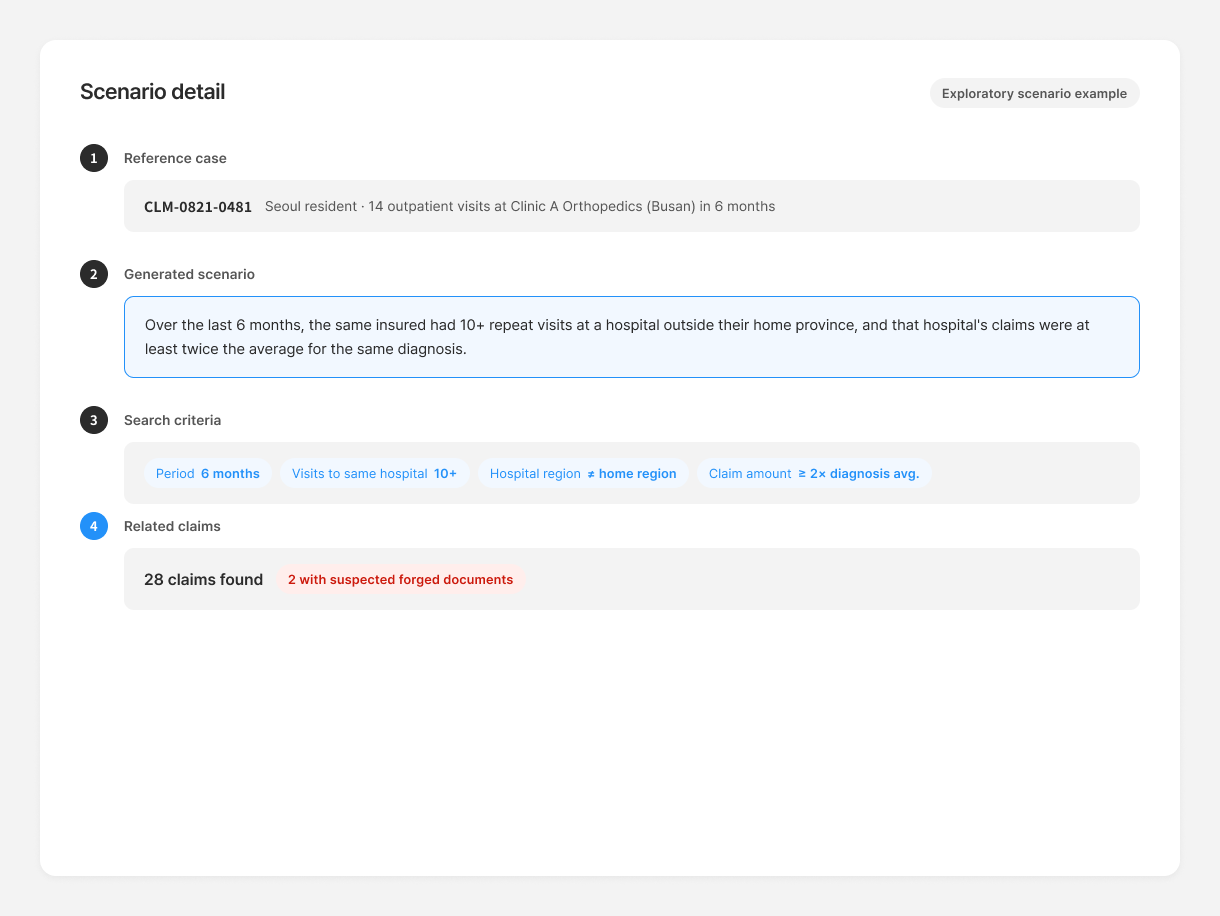
Generate scenarios
Use existing cases to find
new criteria to test.
Combine hospitals, amounts and dates from fraud patterns to create new detection scenarios.
Reference information
Past fraud cases, types and work-specific criteria
What it generates
Situations and combined criteria to explore further
How to use the results
Turn generated criteria into search questions to query related claim data.
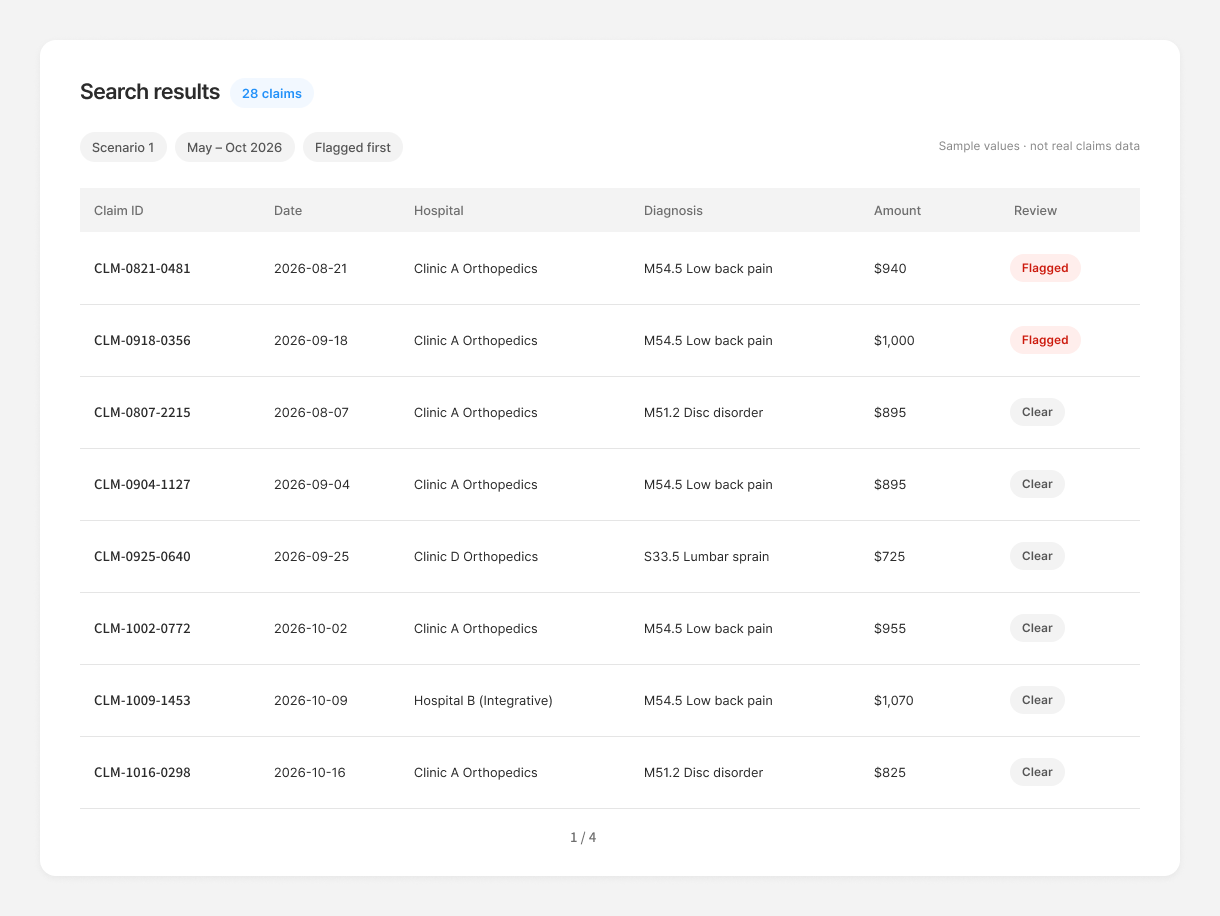
Search result review
Gather matching cases.
Decide what to investigate.
List matching claims for investigators to compare and decide which need further investigation.
What to review
Claim and case data matching your search criteria
Review details
Providers, amounts, dates and individual histories
How to use the results
Review more records; decide on deeper investigation
USE CASES
Broaden investigations from suspicious cases to similar claim histories.
Query claims relevant to your investigation, then compare results to assess cases for further inquiry.
Similar claims
Claim under review
CLM-0821-0481
Clinic A Orthopedics
M54.5 Low back pain
2026-08-21
$940
Shared criteria
Same hospital
Same diagnosis
Last 6 months
4 similar claims
CLM-0904-1127
2026-09-04
$895
Hospital match
Diagnosis match
CLM-0918-0356
2026-09-18
$1,000
Hospital match
Diagnosis match
CLM-1002-0772
2026-10-02
$955
Hospital match
Diagnosis match
CLM-0807-2215
2026-08-07
$895
Hospital match
Explore similar claims
Work context
Find more cases similar to the claim under review.
Data to search
Linked insurance data: hospitals, diagnosis codes, claim amounts and dates.
What to explore
Query histories with shared criteria, then adjust criteria and search again.
Practical use
Cross-check related records and review the scope of investigation.
Workflow
01
Review suspicious cases
02
Enter search criteria
03
Query related histories
04
Select cases to examine
SECURITY & INTEGRATION
Connect to your data structure and work environment.
Scope internal deployment and integration together, reviewing searchable data, access rights and how results will be used.
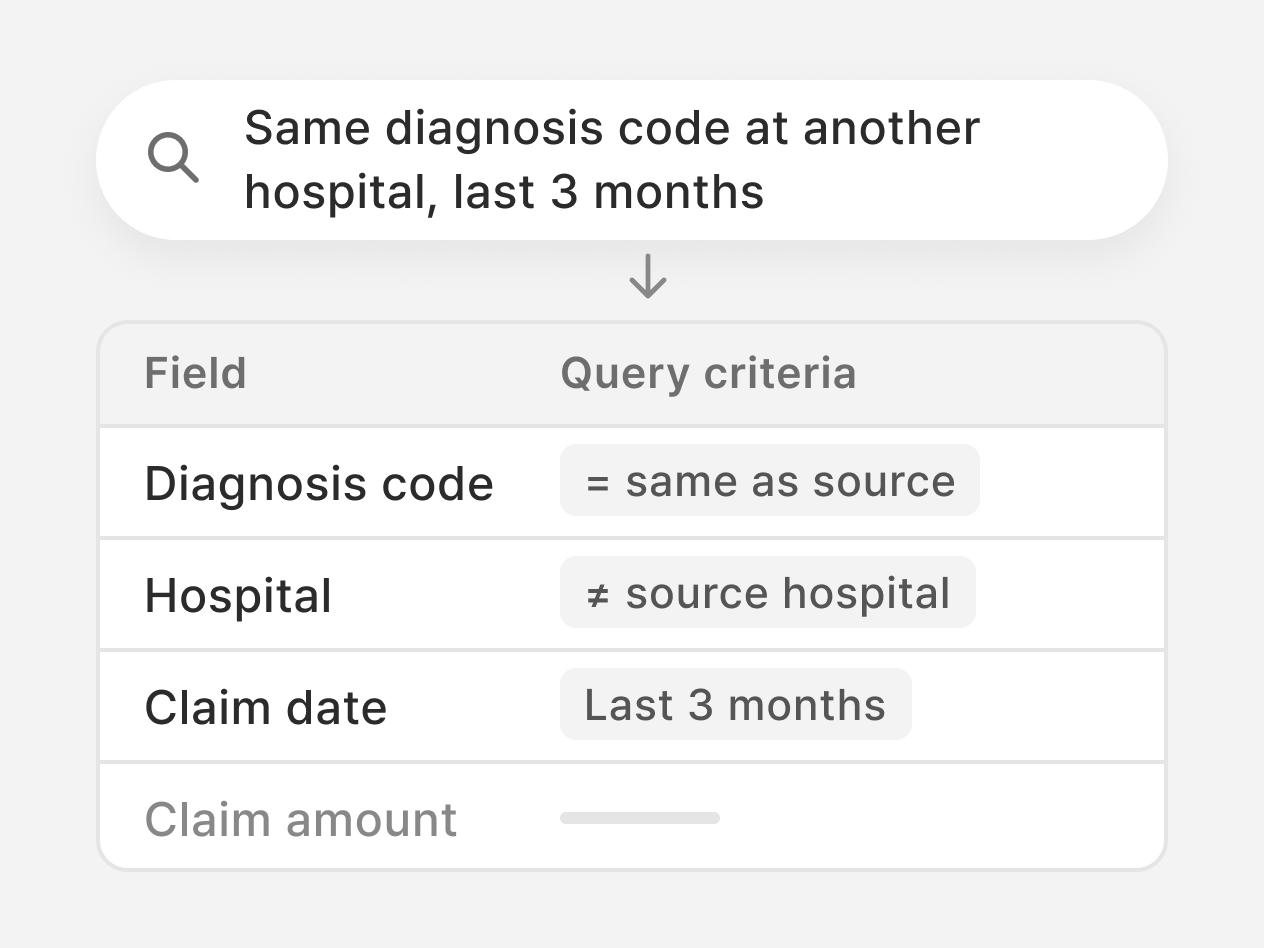
01
Built around your data structure
Use table and field meanings to turn work questions into query criteria.
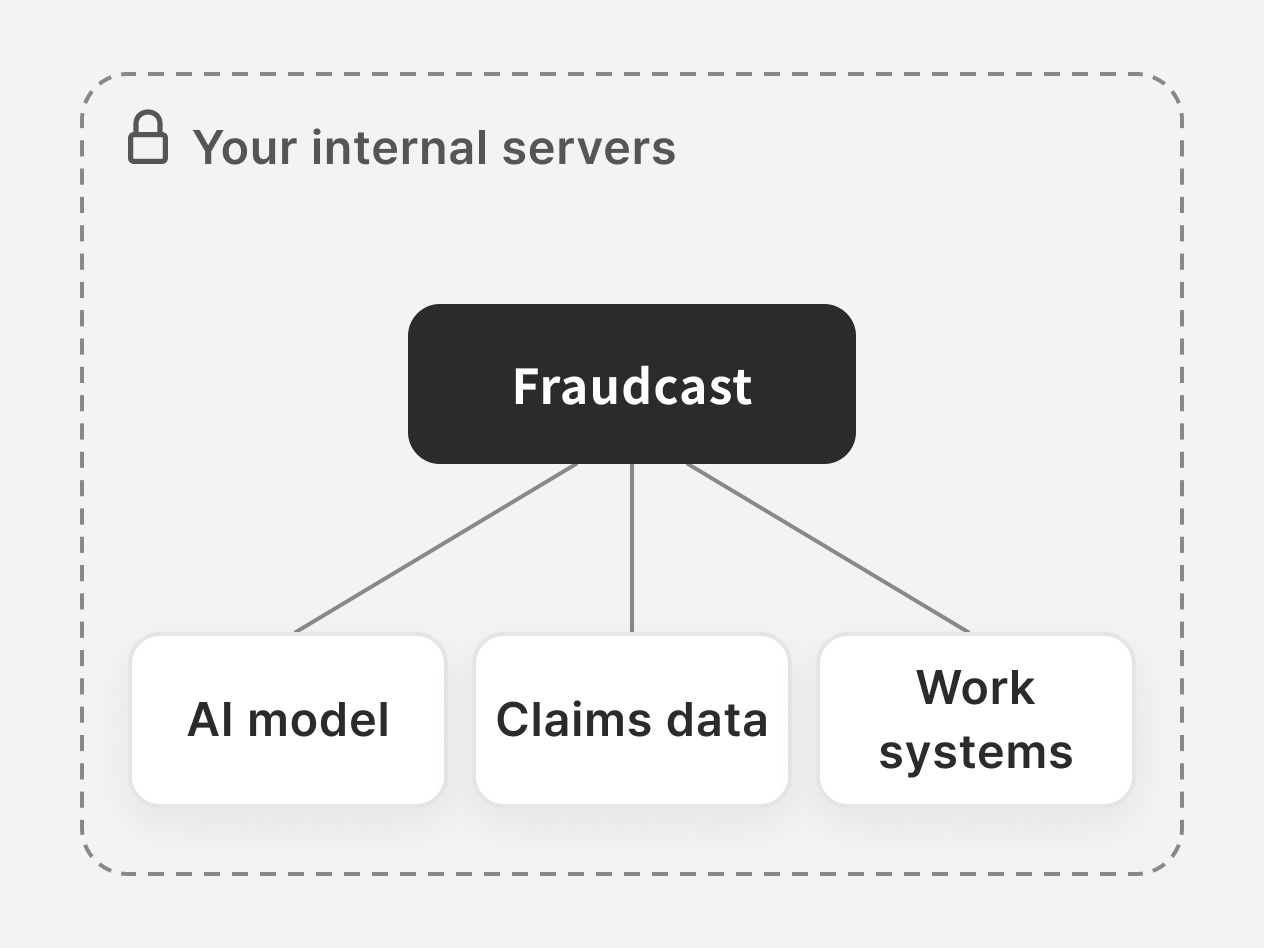
02
On-premises deployment
Agree on internal server deployment scope to meet your operational and security needs.
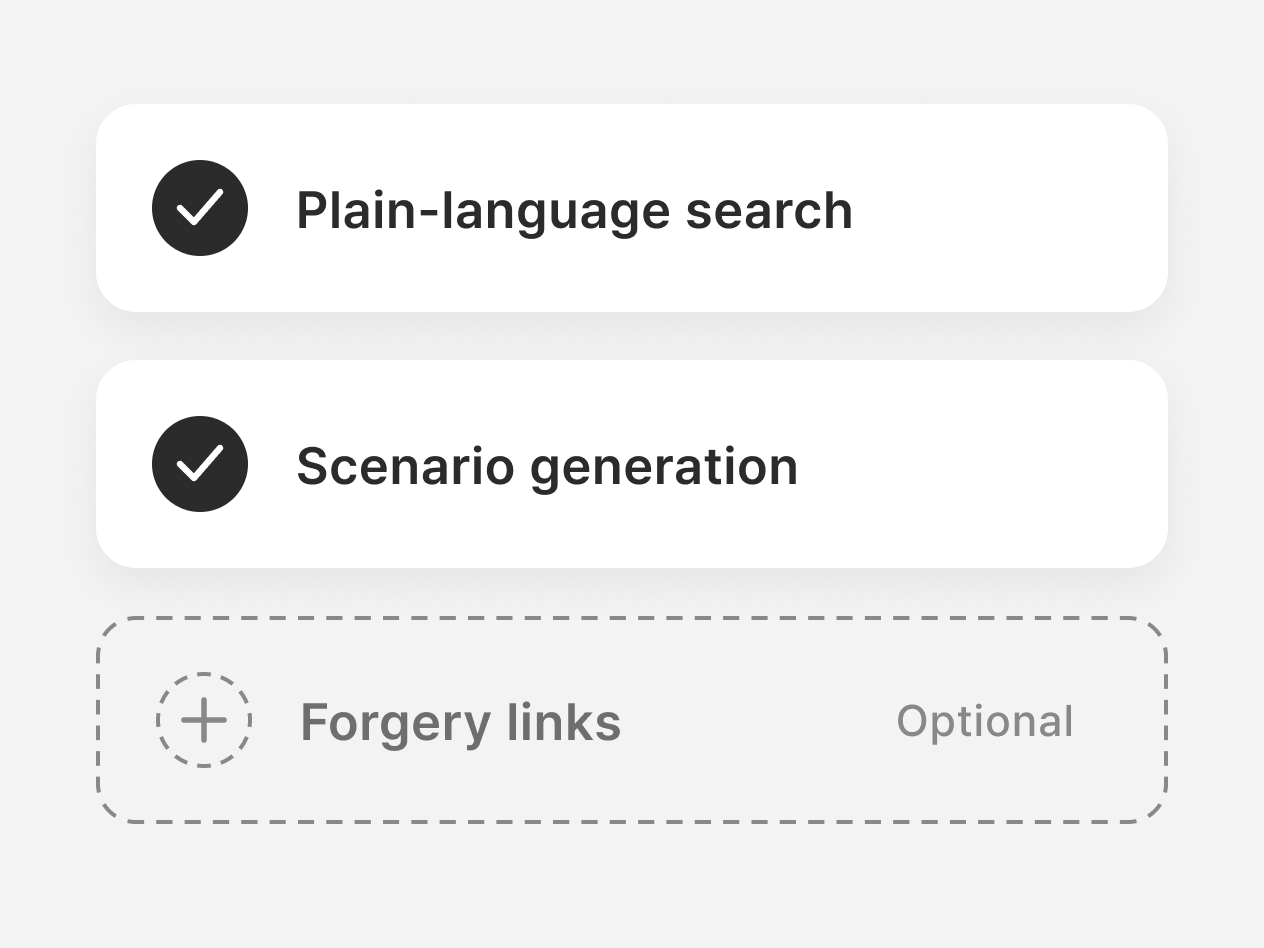
03
Start with the features you need
Plan for features you need, like plain-language search and scenario generation.
Deployment review checklist

Data to search and field definitions
Data linking rules and query permissions
Server/model operations & external access
Result storage, access & retention rules
Test scope: typical questions and cases

Share your recurring queries and fraud detection criteria.
Get guidance on search, analysis and deployment for your data. Assess the fit together using questions from your day-to-day work.
Deploy & PoC inquiry


4F, O2 Tower, 83, Uisadang-daero, Yeongdeungpo-gu, Seoul, 07325, Rep. of KOREA · 460-86-02581
© 2026 NoriSpace Co. Ltd All Rights Reserved


Contact Us
Fraudcast | Insurance & finance fraud detection
Set fraud search criteria.
Find related cases.
Scenarios and plain-language search cut query setup and repeat searches to find cases for investigators.
Deploy & PoC inquiry
Sample screen
Data grows. Finding cases to investigate is still complex.
Repetitive queries
Each change in criteria means rewriting queries and searching for related data again.
Searches limited to familiar types
Existing rules and experience limit how widely you can explore new fraud patterns.
Repeated searches for similar cases
Each suspicious case means searching for and comparing similar claims again.
CORE TECHNOLOGY
Search in plain language. Explore new possibilities with scenarios.
Turn scenario criteria or investigators' questions into searches that return cases for review.
01
Generate scenarios
or
Ask in plain language
02
Build search criteria
03
Query data
04
Return related cases
05
Investigator review
AI Search · Ask in words
Skip complex queries.
Describe your criteria.
Turn everyday work questions into query criteria. Find related cases without writing SQL.
Input
Dates, hospitals, diagnosis codes, amounts and more
How it works
Generate runnable SQL based on the question's meaning and your data structure.
How to use the results
Review matching claim histories and cases
Generate scenarios
Use existing cases to find
new criteria to test.
Combine hospitals, amounts and dates from fraud patterns to create new detection scenarios.
Reference information
Past fraud cases, types and work-specific criteria
What it generates
Situations and combined criteria to explore further
How to use the results
Turn generated criteria into search questions to query related claim data.
Search result review
Gather matching cases.
Decide what to investigate.
List matching claims for investigators to compare and decide which need further investigation.
What to review
Claim and case data matching your search criteria
Review details
Providers, amounts, dates and individual histories
How to use the results
Review more records; decide on deeper investigation
USE CASES
Broaden investigations from suspicious cases to similar claim histories.
Query claims relevant to your investigation, then compare results to assess cases for further inquiry.
Similar claims
Claim under review
CLM-0821-0481
Clinic A Orthopedics
M54.5 Low back pain
2026-08-21
$940
Shared criteria
Same hospital
Same diagnosis
Last 6 months
4 similar claims
CLM-0904-1127
2026-09-04
$895
Hospital match
Diagnosis match
CLM-0918-0356
2026-09-18
$1,000
Hospital match
Diagnosis match
CLM-1002-0772
2026-10-02
$955
Hospital match
Diagnosis match
CLM-0807-2215
2026-08-07
$895
Hospital match
Explore similar claims
Work context
Find more cases similar to the claim under review.
Data to search
Linked insurance data: hospitals, diagnosis codes, claim amounts and dates.
What to explore
Query histories with shared criteria, then adjust criteria and search again.
Practical use
Cross-check related records and review the scope of investigation.
Workflow
01
Review suspicious cases
02
Enter search criteria
03
Query related histories
04
Select cases to examine
SECURITY & INTEGRATION
Connect to your data structure and work environment.
Scope internal deployment and integration together, reviewing searchable data, access rights and how results will be used.
01
Built around your data structure
Use table and field meanings to turn work questions into query criteria.
02
On-premises deployment
Agree on internal server deployment scope to meet your operational and security needs.
03
Start with the features you need
Plan for features you need, like plain-language search and scenario generation.
Deployment review checklist
Data to search and field definitions
Data linking rules and query permissions
Server/model operations & external access
Result storage, access & retention rules
Test scope: typical questions and cases
Share your recurring queries and fraud detection criteria.
Get guidance on search, analysis and deployment for your data. Assess the fit together using questions from your day-to-day work.
Deploy & PoC inquiry

4F, O2 Tower, 83, Uisadang-daero, Yeongdeungpo-gu, Seoul, 07325, Rep. of KOREA · 460-86-02581
© 2026 NoriSpace Co. Ltd All Rights Reserved