WorKit | AI work logging & management
Log work with ease.
See work done and work ahead.
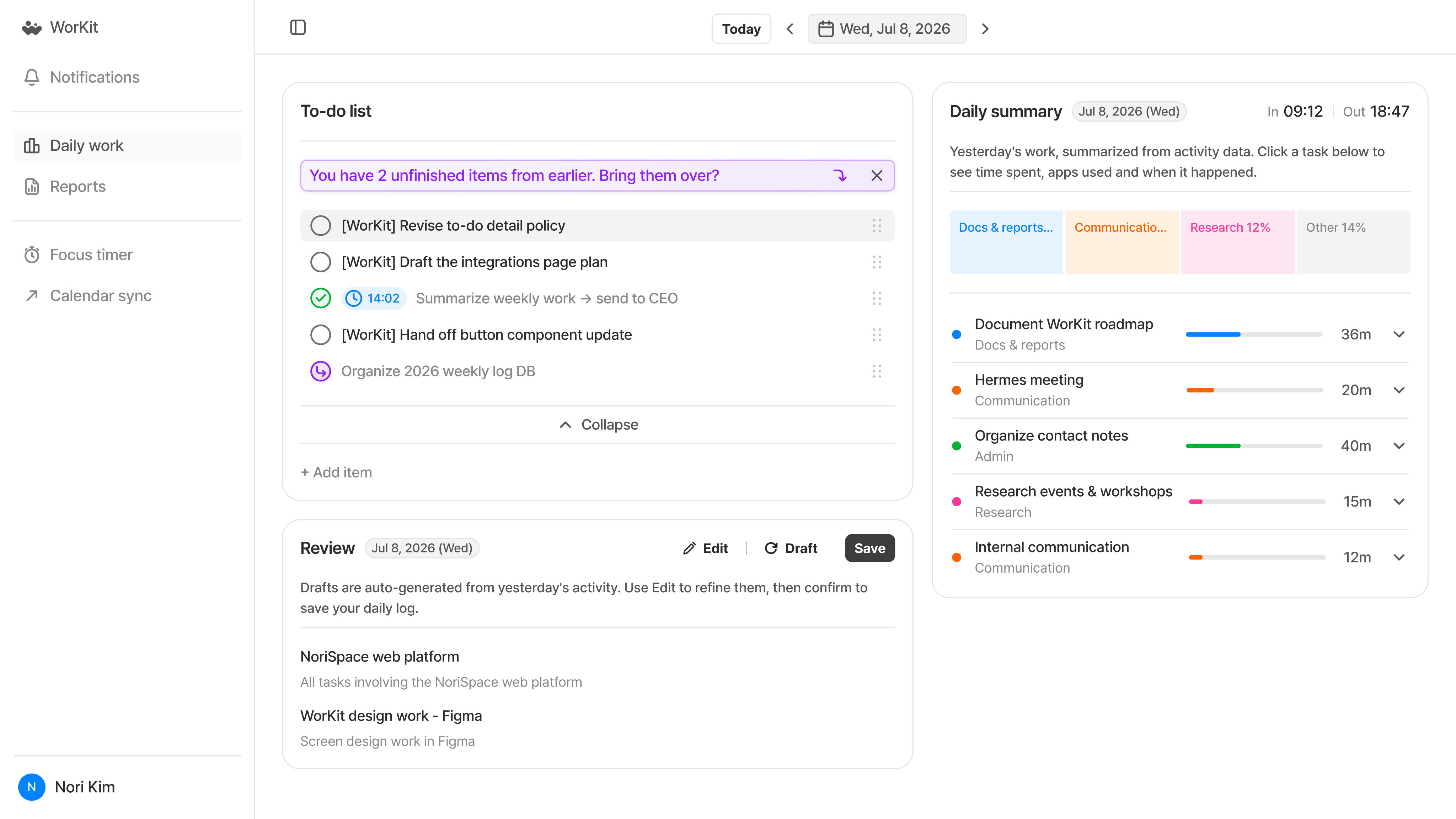
Auto-log PC work activity and organize work done and what's next.
Review time spent on each task, and manage to-dos and schedules together.
Sample screen
Reviewing work done and planning what's next takes time, too.

Work logs put off until later
Put off logging work, and it's hard to recall what you did and how long it took.

Tasks you keep putting off
Rewriting unfinished tasks makes it easy to lose track of when you first put them off.

Separate tasks and schedules
Separate calendars and task lists make it hard to see today's work at a glance.
PRODUCT EXPERIENCE
Look back on work done. Manage tasks and schedules for what comes next.
Daily summary
Go beyond app usage time.
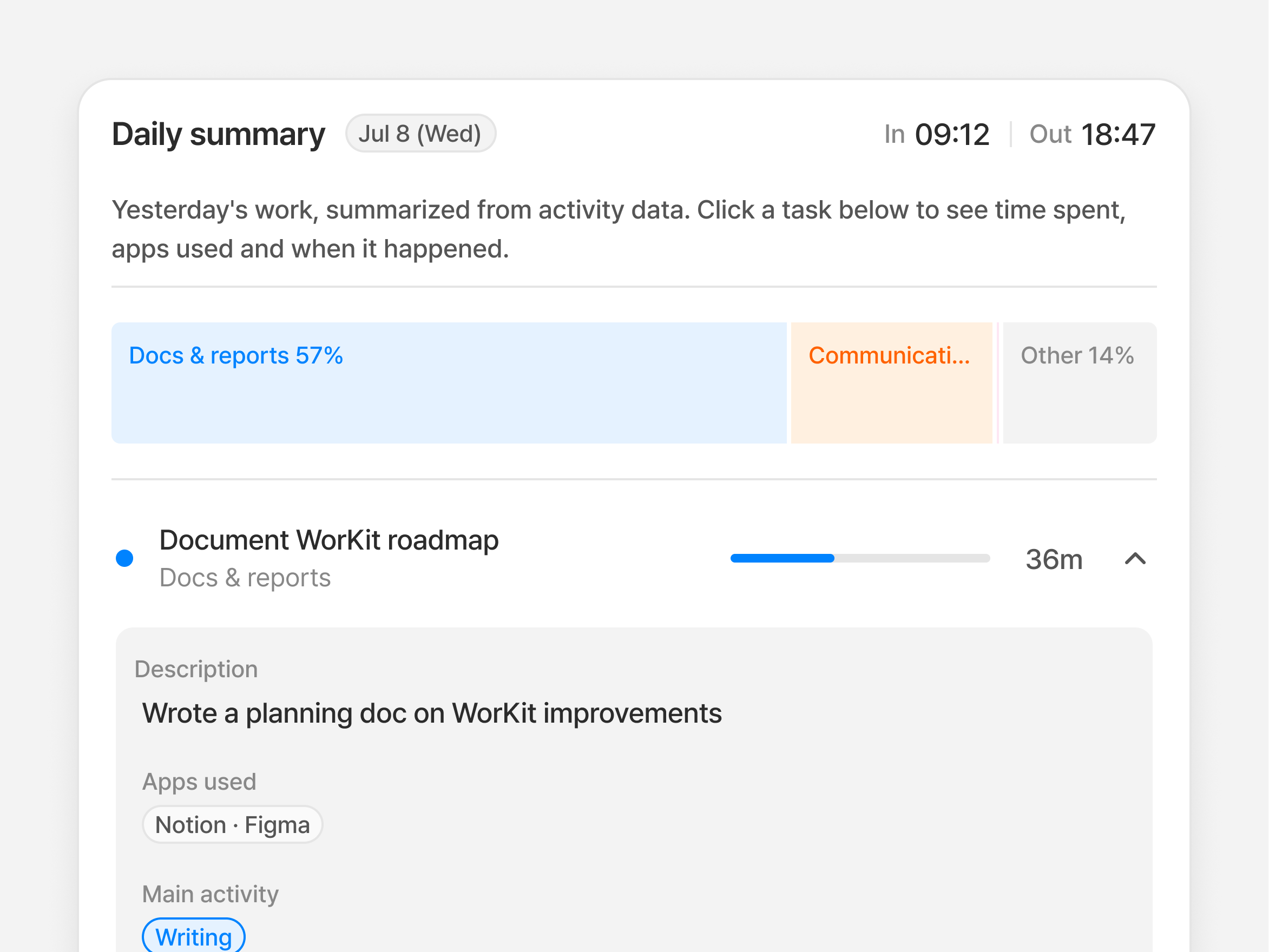
See time spent on each task.
See activity grouped by task, with time spent and each task's share of the total. Expand a task to see apps used and when activity occurred.

Work breakdown by category
Time spent on each task
Activity details: apps used and time of day
Review
Log your day from a draft,
not a blank page.
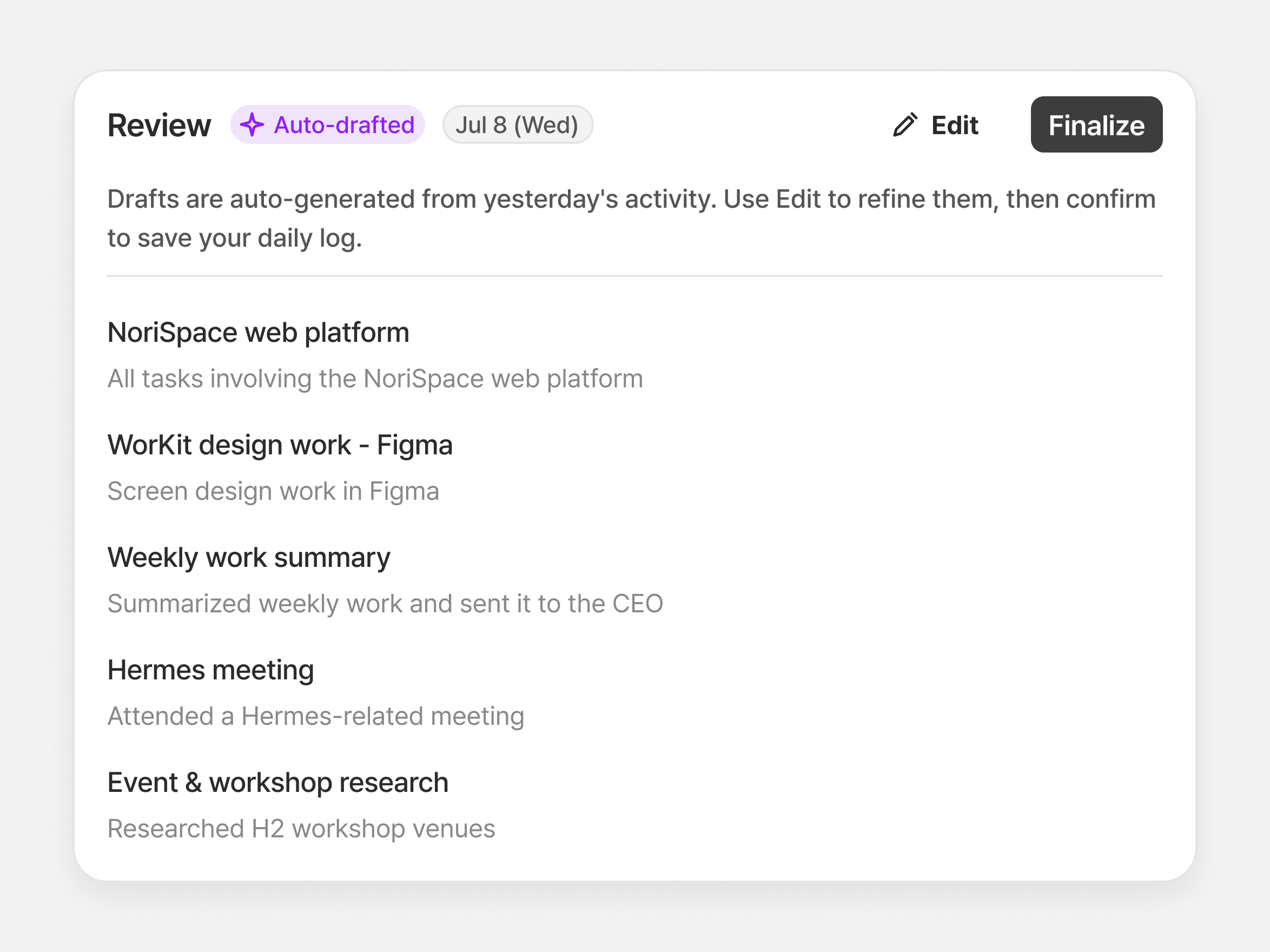
WorKit drafts a review of yesterday's work. Edit what you need to finalize your daily log.
Review draft based on yesterday's work
Edit the content yourself
Track review completion and confirmation status
To-do list
Set deadlines and carry
unfinished work into today.
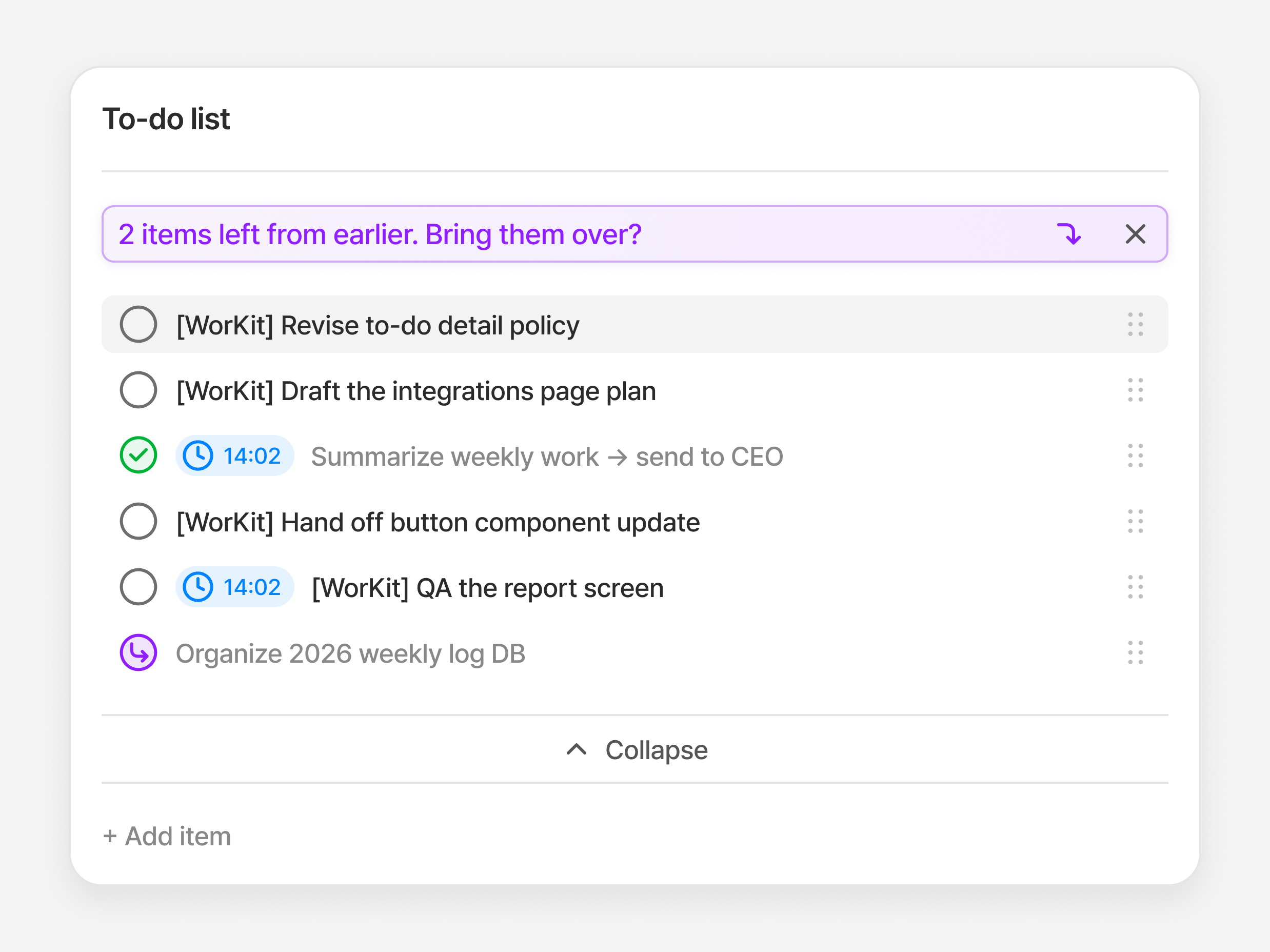
Set start and due times for each task. Bring unfinished work into today's list to keep going, with a carryover history to trace its progress.
Set deadlines
Manage start and due times. A default deadline applies if you don't set one.
Bring unfinished work forward
Add overdue tasks to today's list via the carryover prompt or 'Bring to today'.
Separate completion and carryover history
Keep the old item as 'Carried over' and track completion of today's item separately.
Personal reports
Bring daily logs together.
Review your work patterns.
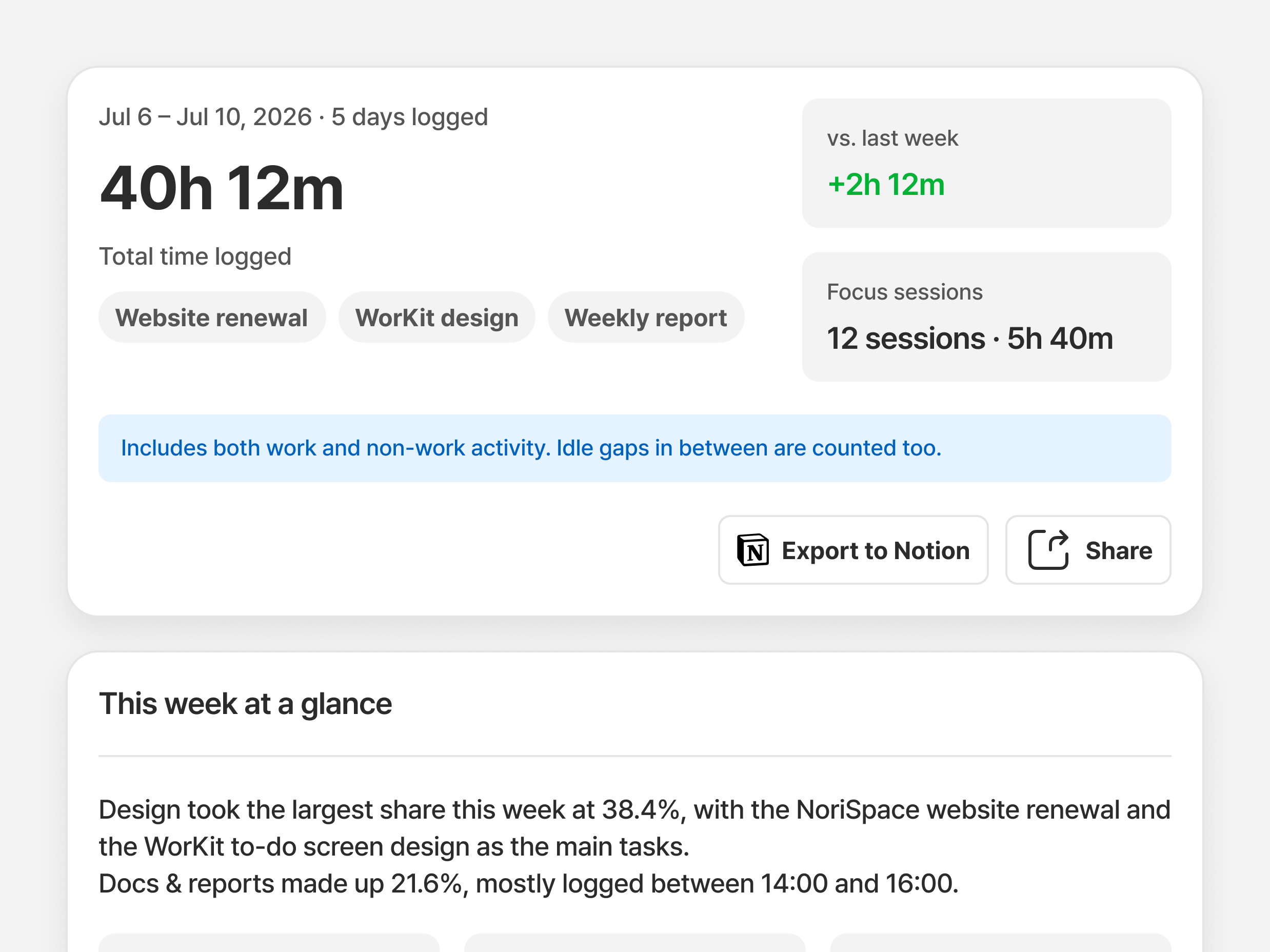
Review weekly and monthly work patterns and time allocation to plan your next tasks.
Weekly/monthly work time and category shares
Activity distribution by time of day
Changes in work patterns over time
PRIVACY
Know what WorKit records and what it doesn't.
WorKit organizes work using apps, active window titles and time used, not screenshots or keystroke logs.
Data used to organize work
App names
Active window titles
Time spent in each app
Recording methods we don't use
Screen capture or recording
Logging what you type
Tracking individual keystrokes
Required
Collect and use work activity data to provide core features
Optional
Use data for AI training to improve service quality
Consent to collect work activity data is required. AI training consent is separate and optional; you can use WorKit without it.

WorKit: log work done and
pick up what's next.
Organize your workday with WorKit, from logging work to managing to-dos.
Deploy & PoC inquiry


4F, O2 Tower, 83, Uisadang-daero, Yeongdeungpo-gu, Seoul, 07325, Rep. of KOREA · 460-86-02581
© 2026 NoriSpace Co. Ltd All Rights Reserved


Contact Us
WorKit | AI work logging & management
Log work with ease.
See work done and work ahead.
Auto-log PC work activity and organize work done and what's next.
Review time spent on each task, and manage to-dos and schedules together.
Sample screen
Reviewing work done and planning what's next takes time, too.
Work logs put off until later
Put off logging work, and it's hard to recall what you did and how long it took.
Tasks you keep putting off
Rewriting unfinished tasks makes it easy to lose track of when you first put them off.
Separate tasks and schedules
Separate calendars and task lists make it hard to see today's work at a glance.
PRODUCT EXPERIENCE
Look back on work done. Manage tasks and schedules for what comes next.
Daily summary
Go beyond app usage time.
See time spent on each task.
See activity grouped by task, with time spent and each task's share of the total. Expand a task to see apps used and when activity occurred.
Work breakdown by category
Time spent on each task
Activity details: apps used and time of day
Review
Log your day from a draft,
not a blank page.
WorKit drafts a review of yesterday's work. Edit what you need to finalize your daily log.
Review draft based on yesterday's work
Edit the content yourself
Track review completion and confirmation status
To-do list
Set deadlines and carry
unfinished work into today.
Set start and due times for each task. Bring unfinished work into today's list to keep going, with a carryover history to trace its progress.
Set deadlines
Manage start and due times. A default deadline applies if you don't set one.
Bring unfinished work forward
Add overdue tasks to today's list via the carryover prompt or 'Bring to today'.
Separate completion and carryover history
Keep the old item as 'Carried over' and track completion of today's item separately.
Personal reports
Bring daily logs together.
Review your work patterns.
Review weekly and monthly work patterns and time allocation to plan your next tasks.
Weekly/monthly work time and category shares
Activity distribution by time of day
Changes in work patterns over time
PRIVACY
Know what WorKit records and what it doesn't.
WorKit organizes work using apps, active window titles and time used, not screenshots or keystroke logs.
Data used to organize work
App names
Active window titles
Time spent in each app
Recording methods we don't use
Screen capture or recording
Logging what you type
Tracking individual keystrokes
Required
Collect and use work activity data to provide core features
Optional
Use data for AI training to improve service quality
Consent to collect work activity data is required. AI training consent is separate and optional; you can use WorKit without it.
WorKit: log work done and pick up what's next.
Organize your workday with WorKit, from logging work to managing to-dos.
Deploy & PoC inquiry
4F, O2 Tower, 83, Uisadang-daero, Yeongdeungpo-gu, Seoul, 07325, Rep. of KOREA · 460-86-02581
© 2026 NoriSpace Co. Ltd All Rights Reserved