NoriS Engine | Multimodal financial fraud analysis
From pixels to claims data,
AI uncovers signals of potential fraud.
Analyze creation and editing traces and unusual patterns in document images, and use natural language processing to interpret work questions and build detection scenarios.
Deploy & PoC inquiry
NORIS ENGINE
Inside NoriS Engine: document analysis and data search
Computer vision analyzes document tampering. NLP powers data search and fraud scenario generation.
NoriS Engine
Core analysis technology
Document analysis
Computer Vision
Generative AI detection

Image forensics
Supporting analysis
Statistical anomaly detection
File-based supporting checks
Applied products
NoriS Forgery Detection Solution
Natural Language Processing
NLP: Natural language processing
Natural-language data search (Text-to-SQL)
GenAI fraud scenario generation
Two independent processes
Natural-language question → query generation & search
Fraud types & criteria → detection scenario generation
Applied products
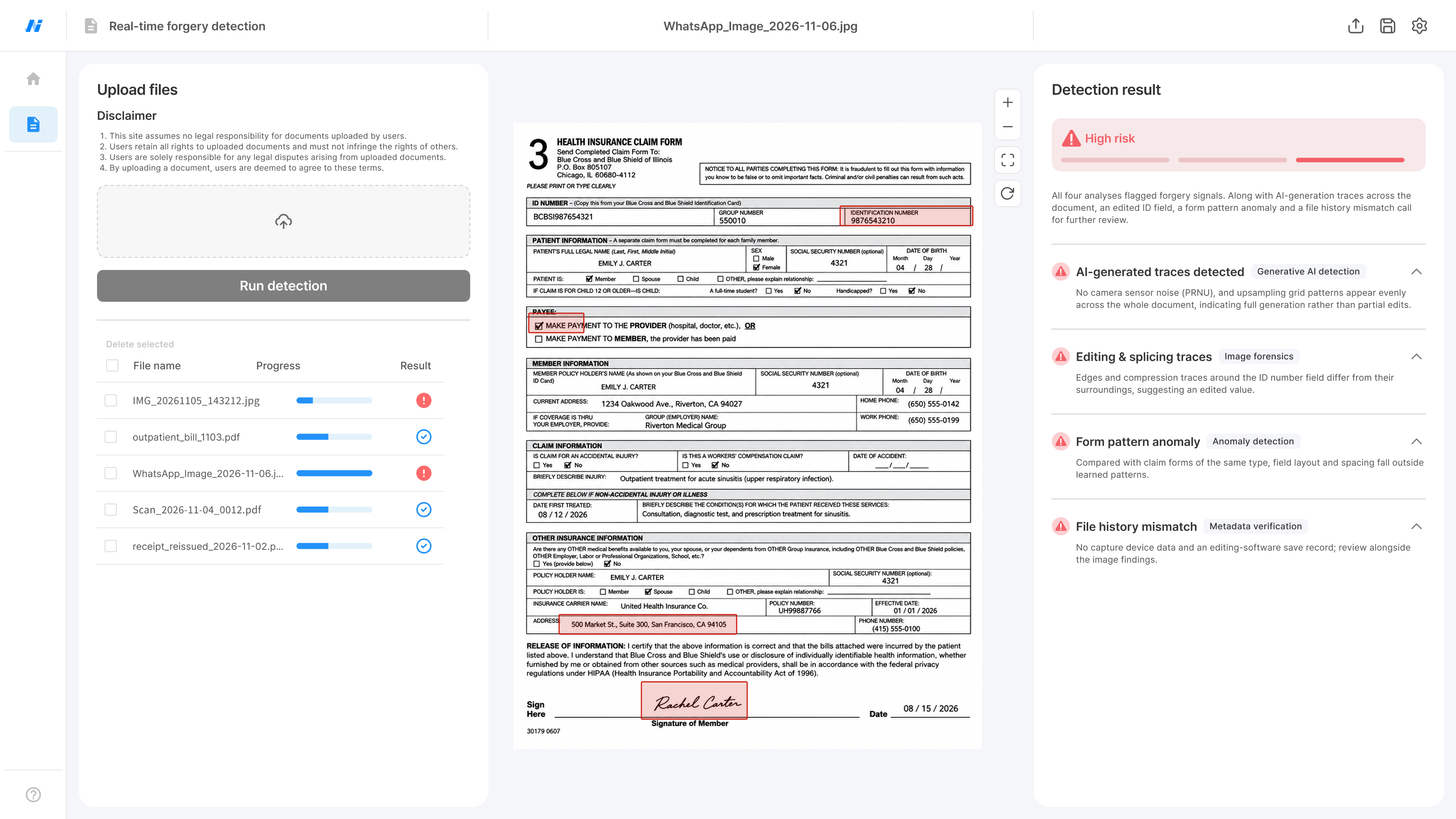
Fraudcast
IMAGE FORENSICS
Analyze AI traces and subtle signs of editing.
Analyze frequency, noise, texture and boundary patterns in document images to detect signs of tampering in documents created or altered with generative AI, or partly copied or spliced.
Generative AI trace analysis
Analyze frequency and noise patterns left by image creation or alteration to detect signs of AI generation.
Copy-move and splicing analysis
Analyze repeated image patterns, editing boundaries and differences in texture and compression traces.
Image-based document analysis
Analyze image pixels and patterns, alongside extracted text, across different document types.
Find tampering clues that text and field checks alone can miss by analyzing image creation and editing traces.
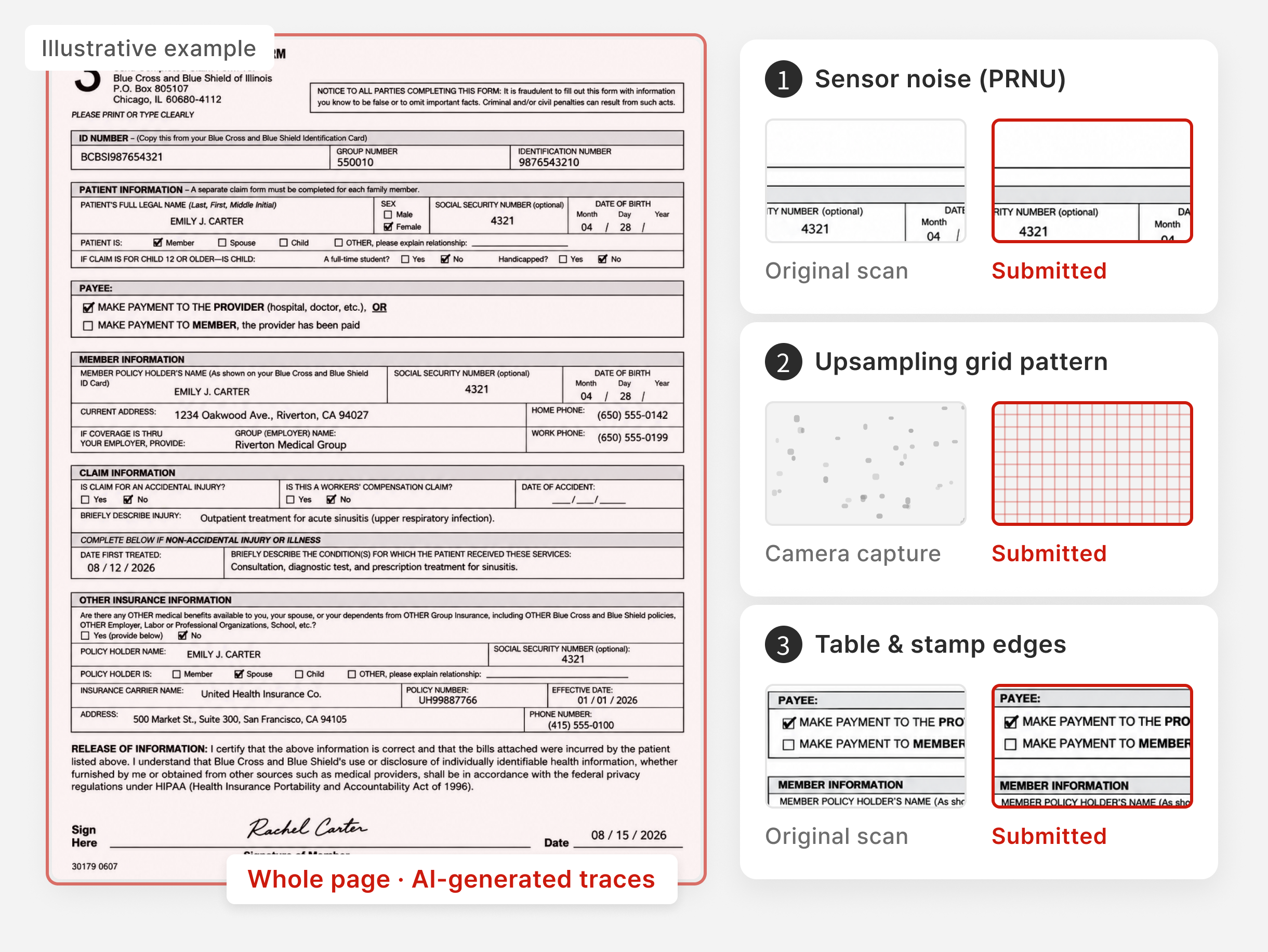
Case ①
Medical claim created or
altered with generative AI

No camera sensor-specific noise (PRNU) detected
Upsampling grid patterns are uniform across the entire document
Table and stamp edges lack print/scan jitter and ink bleed
Case ②
Receipt with partial
edits and splicing
Area removal & fill (Inpainting)
Areas where names or dates were erased and refilled show texture and edge traces that differ from their surroundings
Image splicing (Splicing)
Characters or numbers pasted from other documents differ in image texture and at their joining edges
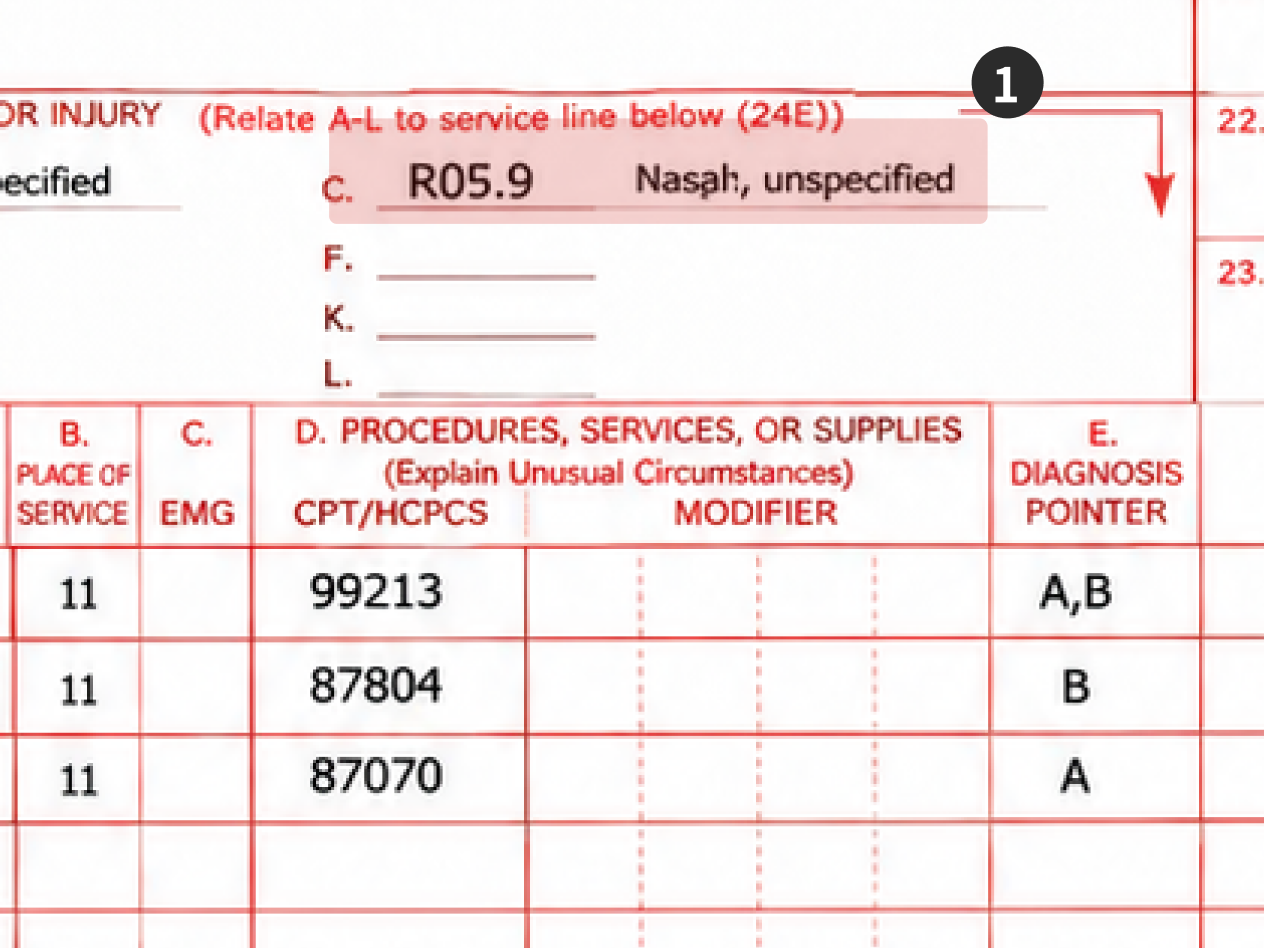
Copy-move within the same image (Copy Move)
Numbers or characters copied within the same receipt show repeated image patterns and editing traces
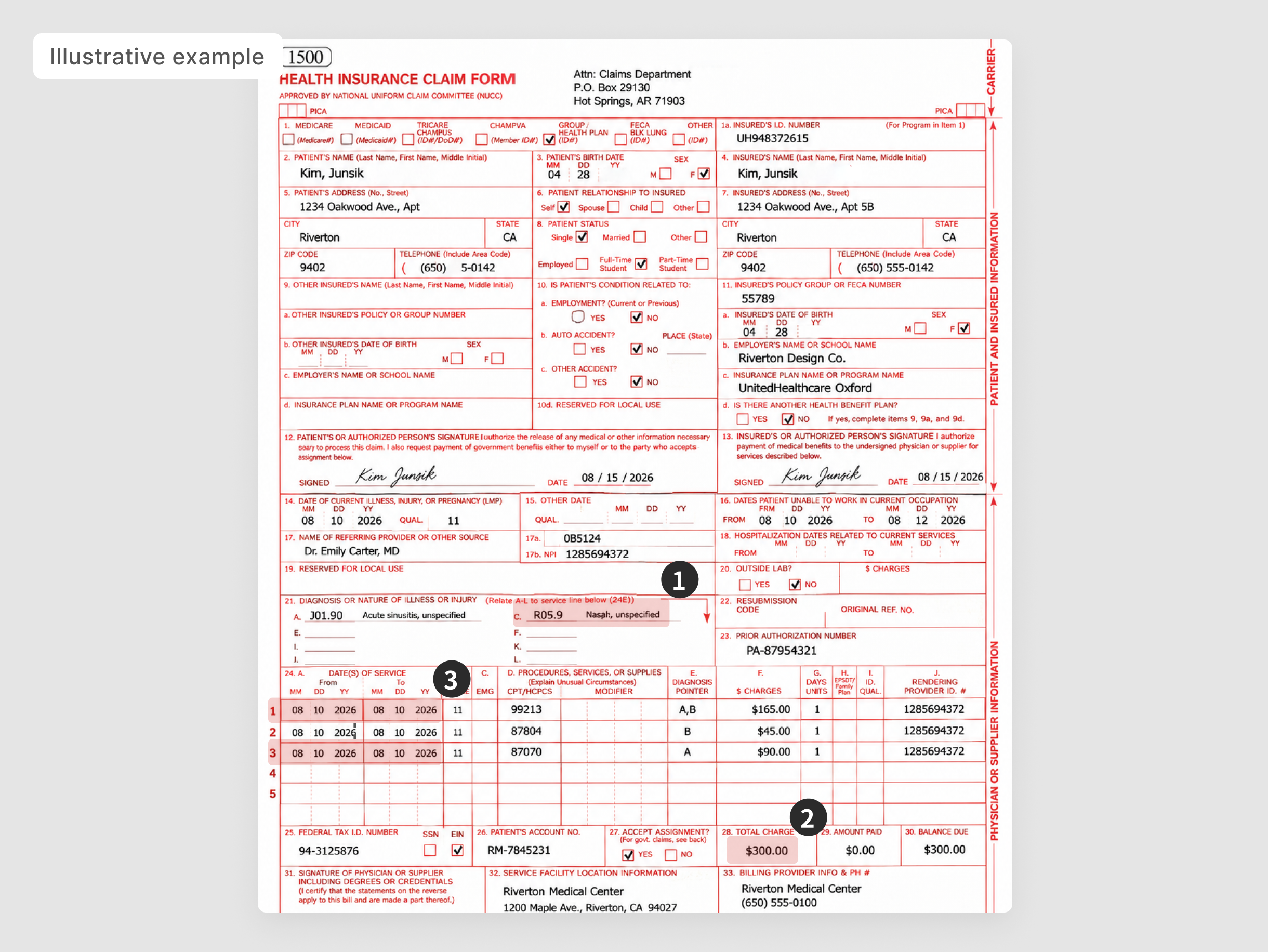
Inpainting
Area removal & fill
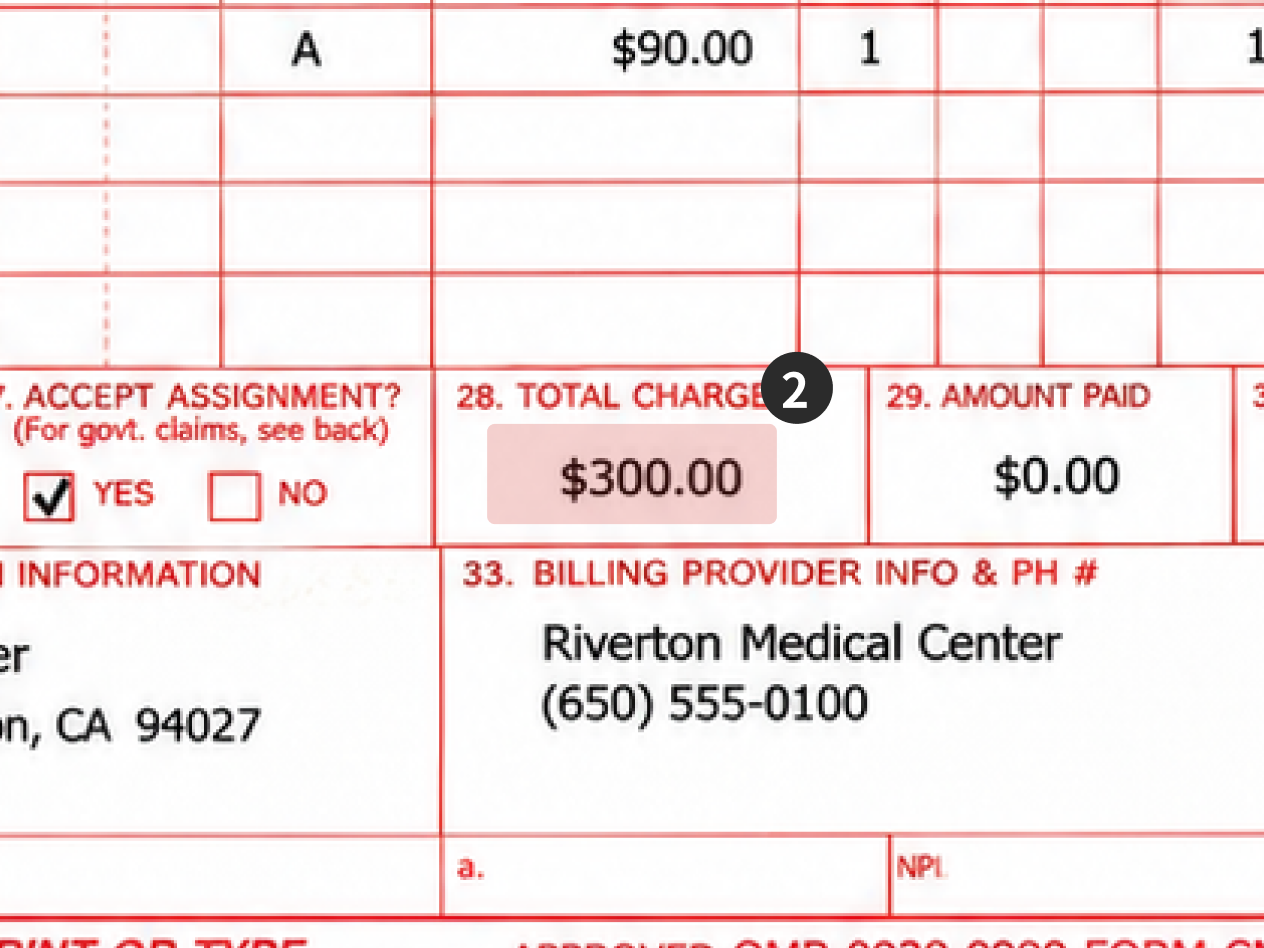
Splicing
External image splicing
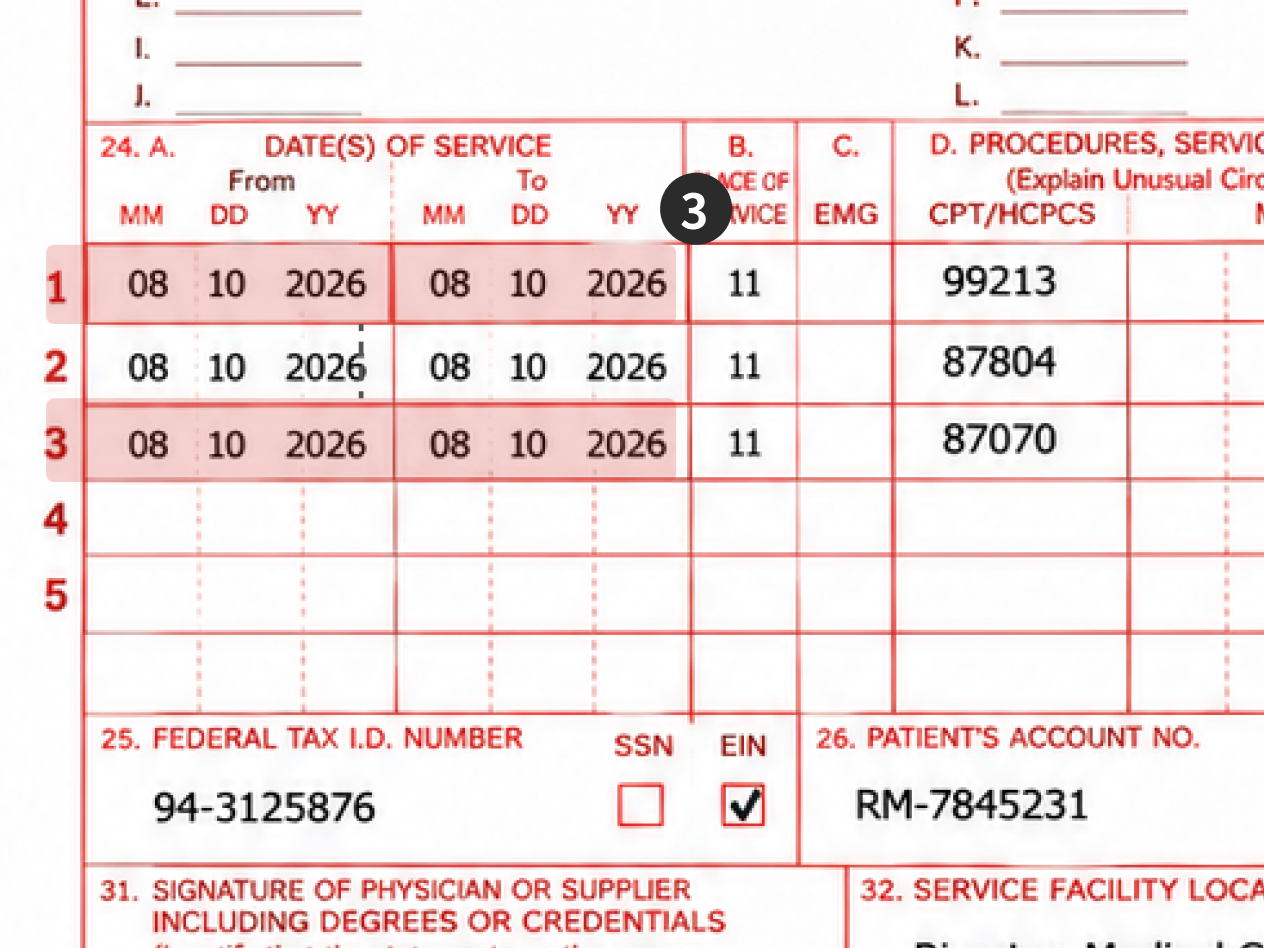
Copy Move
Copy-move within the image
ANOMALY DETECTION & METADATA
Review document anomalies alongside file metadata.
Detect signals that depart from statistical patterns in document images and review them with file creation and editing data to analyze evidence of possible tampering.
Anomaly Detection
Pattern-based anomaly detection
Learn statistical features from document images and flag signals in new documents that depart from learned patterns as possible tampering.
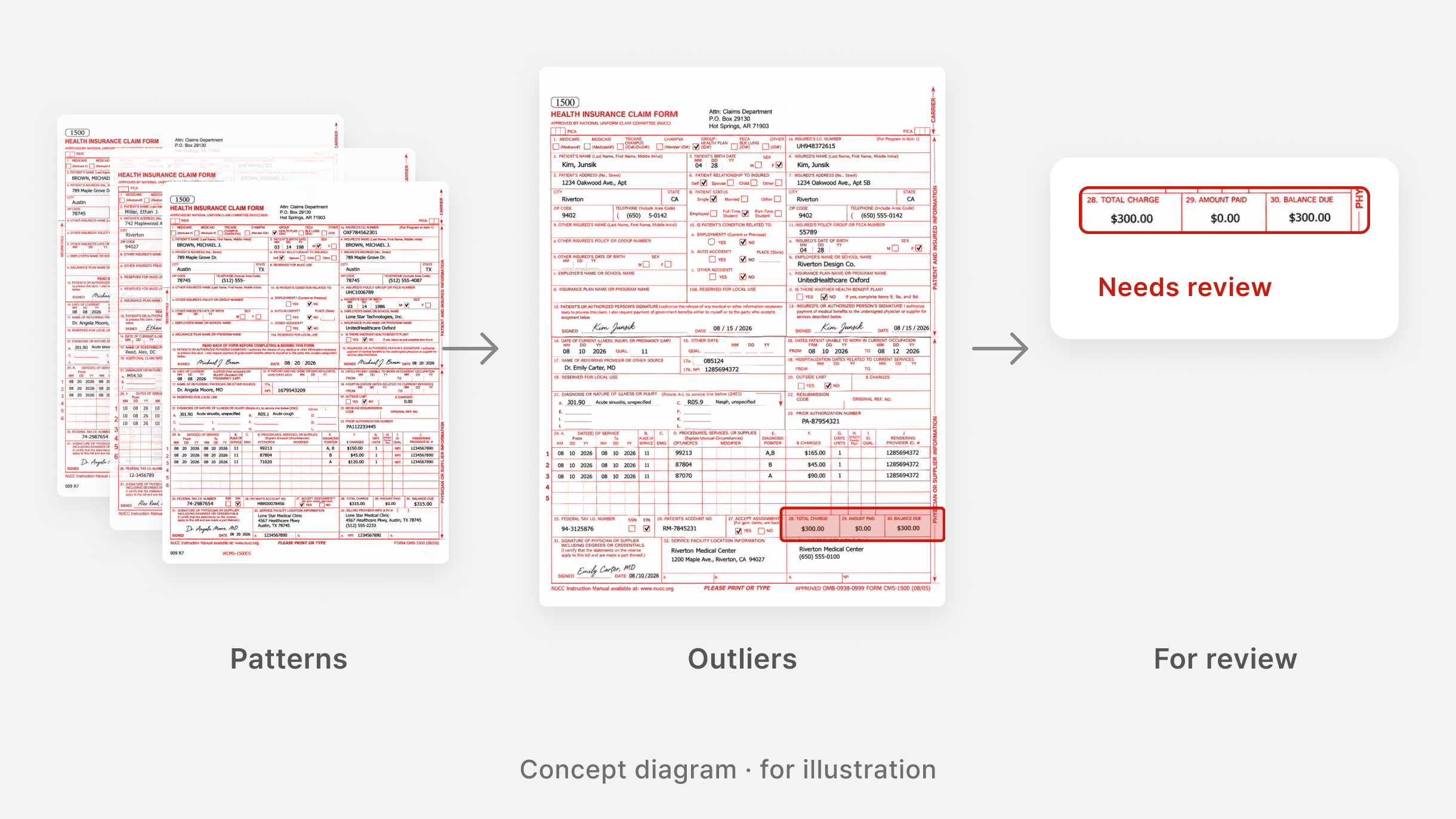
Metadata Validation
Metadata cross-check
Compare creation and edit history, file format and device information in the file to find inconsistencies and traces of editing.
File information
History
02/23 · 02/24
File format
JPEG · Re-saved in an editor
Device information
Smartphone camera
Sample screen · updated once extracted fields are confirmed
New formats are supported after pattern training and validation for that document type.
NATURAL LANGUAGE PROCESSING
Interpret questions and build detection criteria for each fraud type.
Natural-language search interprets the question and data structure to generate queries. Scenario generation combines fraud types with criteria such as hospital, amount and period to build detection scenarios.
Natural-language search
01
Natural-language query
02
Interpret meaning & criteria
03
Generate SQL query
04
Search data & return results
Generate scenarios
01
Enter fraud types & criteria
02
Detection scenario generation
03
Review generated results
Natural-language search example
Sample screen
Natural-language query
“Find claims filed at different hospitals with the same diagnosis code in the last 3 months.”
Interpreted criteria
Period · Last 3 months
Diagnosis code · Same
Hospital · Different
Query results
Claim ID
Hospital
Diagnosis
Claim date
CLM-0821-0481
Clinic A
M54.5 Low back pain
2026-
08-21
CLM-0914-1127
Hospital B
M54.5 Low back pain
2026-
09-14
CLM-1002-0356
Orthopedics C
M54.5 Low back pain
2026-
10-02
Sample values · not real claim data
Natural language to SQL
Generate SQL queries based on the reviewer's question and the meaning of each data field.
Detection scenario generation
Combine fraud types with criteria such as hospital, amount and date range to generate scenarios for review.
Optional
Linking scenarios to search
Map reviewed scenario criteria to data fields to generate queries. This is not a required step after scenario generation.
VERIFICATION & ENVIRONMENT
We separate evaluation results from operating conditions to explain where the technology applies.
Document tampering detection performance
ICT testing & certification body
96.61%
Document tampering detection F1
A metric that combines precision and recall for tampering detection.
Validate with customer data
Set validation items for your document types, input quality and searchable data, and review analysis and query results with real business cases.
Document analysis
Document types, capture, compression, resolution, tampering types and detection results
Data search
Sample questions, criteria interpretation, linked data fields and query result relevance
Enterprise deployment & data handling
We design deployment and integration around your operational and security needs, and agree on data access and post-processing rules together.
Your internal environment
Your business systems
↔
Analysis functions
→
Staff review
On-premises deployment & integration
Install the analysis system in your closed network and integrate it with existing business systems.
Data scope & access control
Keep documents and results within your environment and manage access by user permissions.
Data protection & deletion
Set deletion rules for temporary files after processing and agree on in-transit encryption scope under your security policy.
SOLUTIONS
Put analysis technology to work in your business.
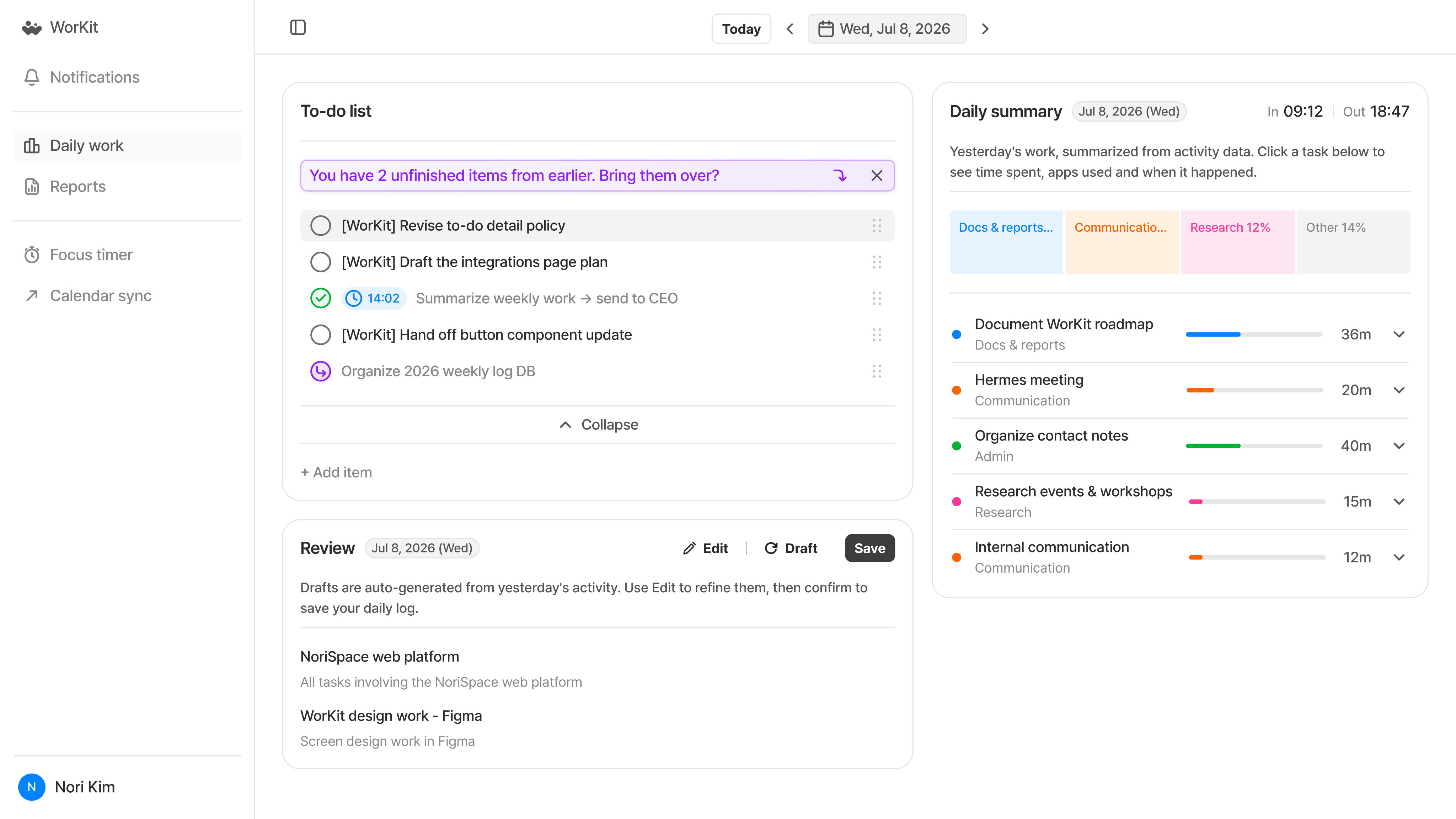
WorKit
업무 기록을 자동으로, 하루의 흐름을 한눈에.
업무 활동을 자동으로 기록하고 정리해, 시간 사용과 진행 상황을 살피고 중요한 일에 집중하도록 돕습니다.
자세히 보기

WorKit
업무 기록을 자동으로, 하루의 흐름을 한눈에.
업무 활동을 자동으로 기록하고 정리해, 시간 사용과 진행 상황을 살피고 중요한 일에 집중하도록 돕습니다.
자세히 보기

Discuss an approach that fits your data and systems.
Deploy & PoC inquiry


4F, O2 Tower, 83, Uisadang-daero, Yeongdeungpo-gu, Seoul, 07325, Rep. of KOREA · 460-86-02581
© 2026 NoriSpace Co. Ltd All Rights Reserved


Contact Us
NoriS Engine | Multimodal financial fraud analysis
From pixels to claims data,
AI uncovers signals of potential fraud.
Analyze creation and editing traces and unusual patterns in document images, and use natural language processing to interpret work questions and build detection scenarios.
Deploy & PoC inquiry
NORIS ENGINE
Inside NoriS Engine: document analysis and data search
Computer vision analyzes document tampering. NLP powers data search and fraud scenario generation.
NoriS Engine
Core analysis technology
Document analysis
Computer Vision
Generative AI detection
Image forensics
Supporting analysis
Statistical anomaly detection
File-based supporting checks
Applied products
NoriS Forgery Detection Solution
Natural Language Processing
NLP: Natural language processing
Natural-language data search (Text-to-SQL)
GenAI fraud scenario generation
Two independent processes
Natural-language question → query generation & search
Fraud types & criteria → detection scenario generation
Applied products
Fraudcast
IMAGE FORENSICS
Analyze AI traces and subtle signs of editing.
Analyze frequency, noise, texture and boundary patterns in document images to detect signs of tampering in documents created or altered with generative AI, or partly copied or spliced.
Generative AI trace analysis
Analyze frequency and noise patterns left by image creation or alteration to detect signs of AI generation.
Copy-move and splicing analysis
Analyze repeated image patterns, editing boundaries and differences in texture and compression traces.
Image-based document analysis
Analyze image pixels and patterns, alongside extracted text, across different document types.
Find tampering clues that text and field checks alone can miss by analyzing image creation and editing traces.
Case ①
Medical claim created or
altered with generative AI
No camera sensor-specific noise (PRNU) detected
Upsampling grid patterns are uniform across the entire document
Table and stamp edges lack print/scan jitter and ink bleed
Case ②
Receipt with partial
edits and splicing
Area removal & fill (Inpainting)
Areas where names or dates were erased and refilled show texture and edge traces that differ from their surroundings
Image splicing (Splicing)
Characters or numbers pasted from other documents differ in image texture and at their joining edges
Copy-move within the same image (Copy Move)
Numbers or characters copied within the same receipt show repeated image patterns and editing traces
Inpainting
Area removal & fill
Splicing
External image splicing
Copy Move
Copy-move within the image
ANOMALY DETECTION & METADATA
Review document anomalies alongside file metadata.
Detect signals that depart from statistical patterns in document images and review them with file creation and editing data to analyze evidence of possible tampering.
Anomaly Detection
Pattern-based anomaly detection
Learn statistical features from document images and flag signals in new documents that depart from learned patterns as possible tampering.
File information
History
02/23 · 02/24
File format
JPEG · Re-saved in an editor
Device information
Smartphone camera
Sample screen · updated once extracted fields are confirmed
Metadata Validation
Metadata cross-check
Compare creation and edit history, file format and device information in the file to find inconsistencies and traces of editing.
New formats are supported after pattern training and validation for that document type.
NATURAL LANGUAGE PROCESSING
Interpret questions and build detection criteria for each fraud type.
Natural-language search interprets the question and data structure to generate queries. Scenario generation combines fraud types with criteria such as hospital, amount and period to build detection scenarios.
Natural-language search
01
Natural-language query
02
Interpret meaning & criteria
03
Generate SQL query
04
Search data & return results
Generate scenarios
01
Enter fraud types & criteria
02
Detection scenario generation
03
Review generated results
Natural-language search example
Sample screen
Natural-language query
“Find claims filed at different hospitals with the same diagnosis code in the last 3 months.”
Interpreted criteria
Period · Last 3 months
Diagnosis code · Same
Hospital · Different
Query results
Claim ID
Hospital
Diagnosis
Claim date
CLM-0821-0481
Clinic A
M54.5 Low back pain
2026-08-21
CLM-0914-1127
Hospital B
M54.5 Low back pain
2026-09-14
CLM-1002-0356
Orthopedics C
M54.5 Low back pain
2026-10-02
Sample values · not real claim data
Metadata
Natural language to SQL
Generate SQL queries based on the reviewer's question and the meaning of each data field.
Metadata
Detection scenario generation
Combine fraud types with criteria such as hospital, amount and date range to generate scenarios for review.
Optional
Linking scenarios to search
Map reviewed scenario criteria to data fields to generate queries. This is not a required step after scenario generation.
VERIFICATION & ENVIRONMENT
We separate evaluation results from operating conditions to explain where the technology applies.
Document tampering detection performance
ICT testing & certification body
96.61%
Document tampering detection F1
A metric that combines precision and recall for tampering detection.
Validate with customer data
Set validation items for your document types, input quality and searchable data, and review analysis and query results with real business cases.
Document analysis
Document types, capture, compression, resolution, tampering types and detection results
Data search
Sample questions, criteria interpretation, linked data fields and query result relevance
Enterprise deployment & data handling
We design deployment and integration around your operational and security needs, and agree on data access and post-processing rules together.
Your internal environment
Your business systems
↔
Analysis functions
→
Staff review
On-premises deployment & integration
Install the analysis system in your closed network and integrate it with existing business systems.
Data scope & access control
Keep documents and results within your environment and manage access by user permissions.
Data protection & deletion
Set deletion rules for temporary files after processing and agree on in-transit encryption scope under your security policy.
SOLUTIONS
Put analysis technology to work in your business.
NoriS Forgery Detection Solution
Apply analysis of AI-generated fraudulent documents and image tampering to document assessment and review.
Learn more
Fraudcast
Apply natural-language data search and fraud-type detection scenarios to your work.
Learn more
Discuss an approach that fits your data and systems.
Deploy & PoC inquiry
4F, O2 Tower, 83, Uisadang-daero, Yeongdeungpo-gu, Seoul, 07325, Rep. of KOREA · 460-86-02581
© 2026 NoriSpace Co. Ltd All Rights Reserved