NoriS | Document Forgery Detection Solution
Trace document fraud, even generative AI forgeries
Assess suspected tampering using creation and editing traces, unusual patterns and file metadata.
Deploy & PoC inquiry
96.61%
Document Forgery detection F1
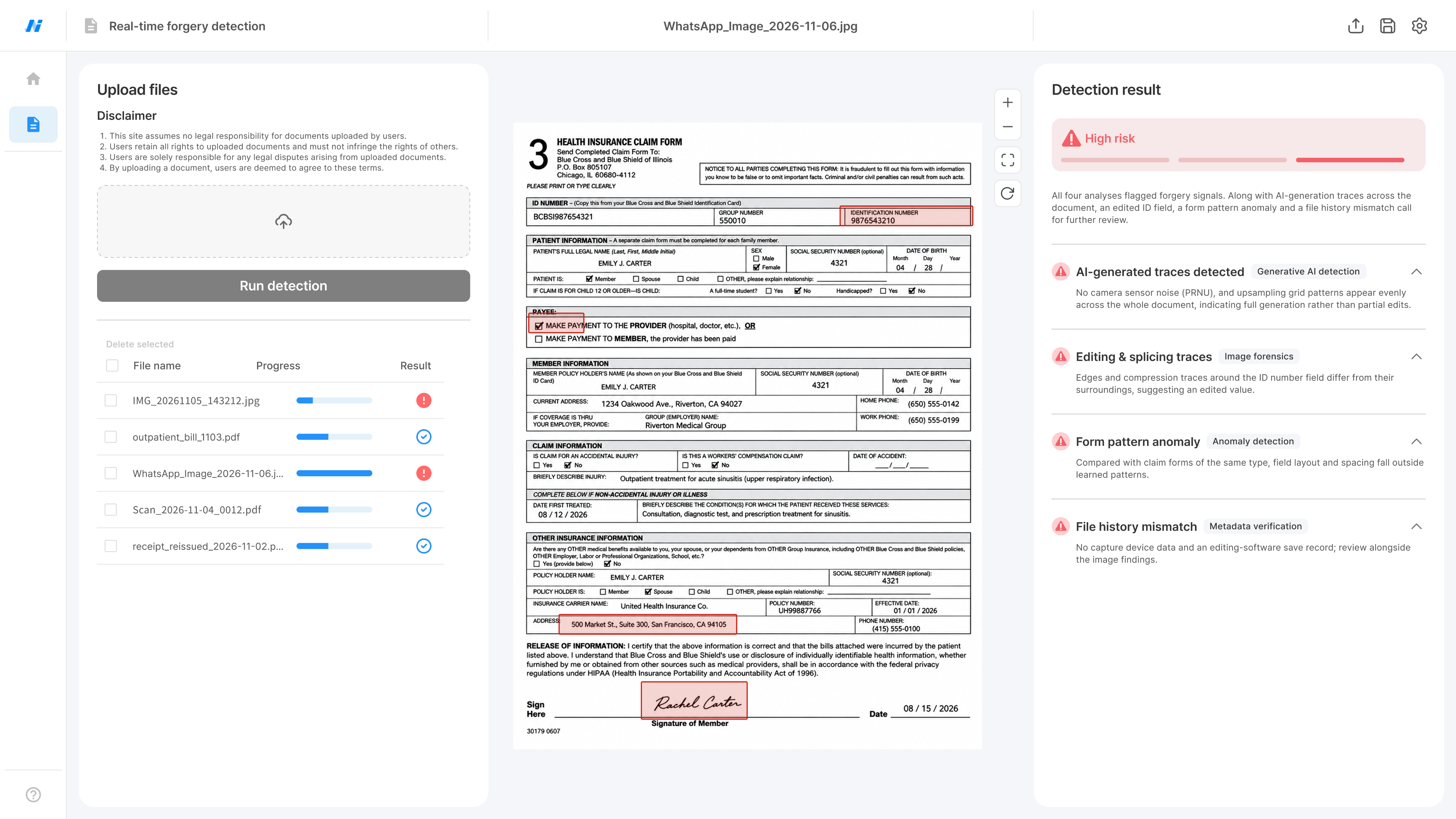
Sample screen
Even flawless-looking files can carry traces of Forgery
Generative AI creates realistic text and images with precise edits. Look beyond content and format checks to examine document creation and editing traces.

Fraudulent documents that look real
Generative AI makes documents so convincing that appearance alone may not reveal a fake.

Recapture, compression: lost clues
Recapture and compression change images and file data, making tampering harder to spot.

OCR and fixed rules are not enough
Checking only text and format can miss subtle traces of copying and compositing.
CORE TECHNOLOGY
From AI traces to anomalies, four methods inform review
Combine generative AI detection, Image forensics, Anomaly detection and Metadata validation to assess forgery signals, not just a single clue.
Generative AI detection
Spot AI forgery patterns
in realistic-looking files
Analyze frequency and noise traces from creation or editing for signs of possible AI generation.
Scope
AI-created or edited document images
Key clues
Frequency and noise patterns from AI
How to use
Support further review with suspected AI generation findings and clues.
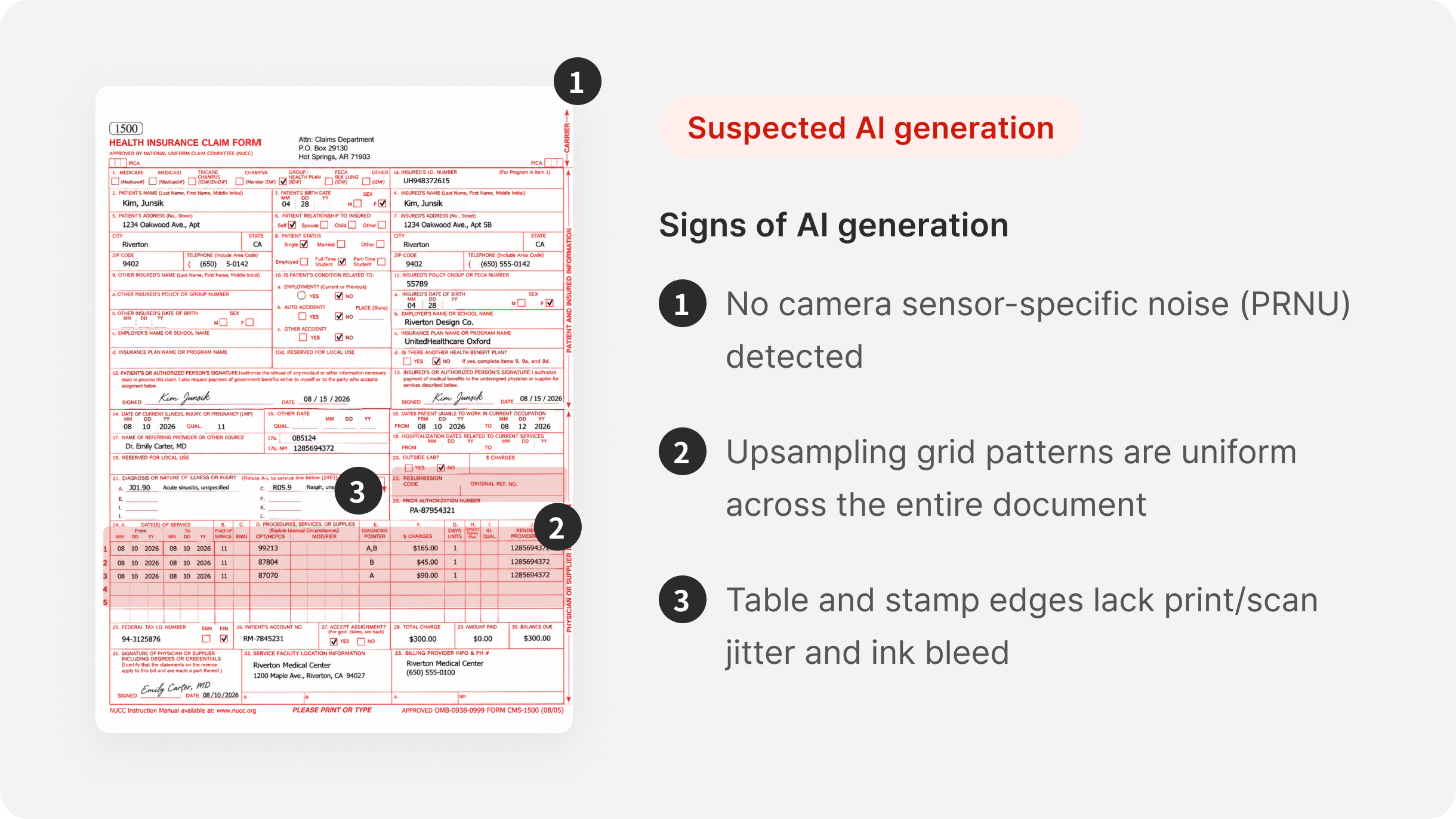
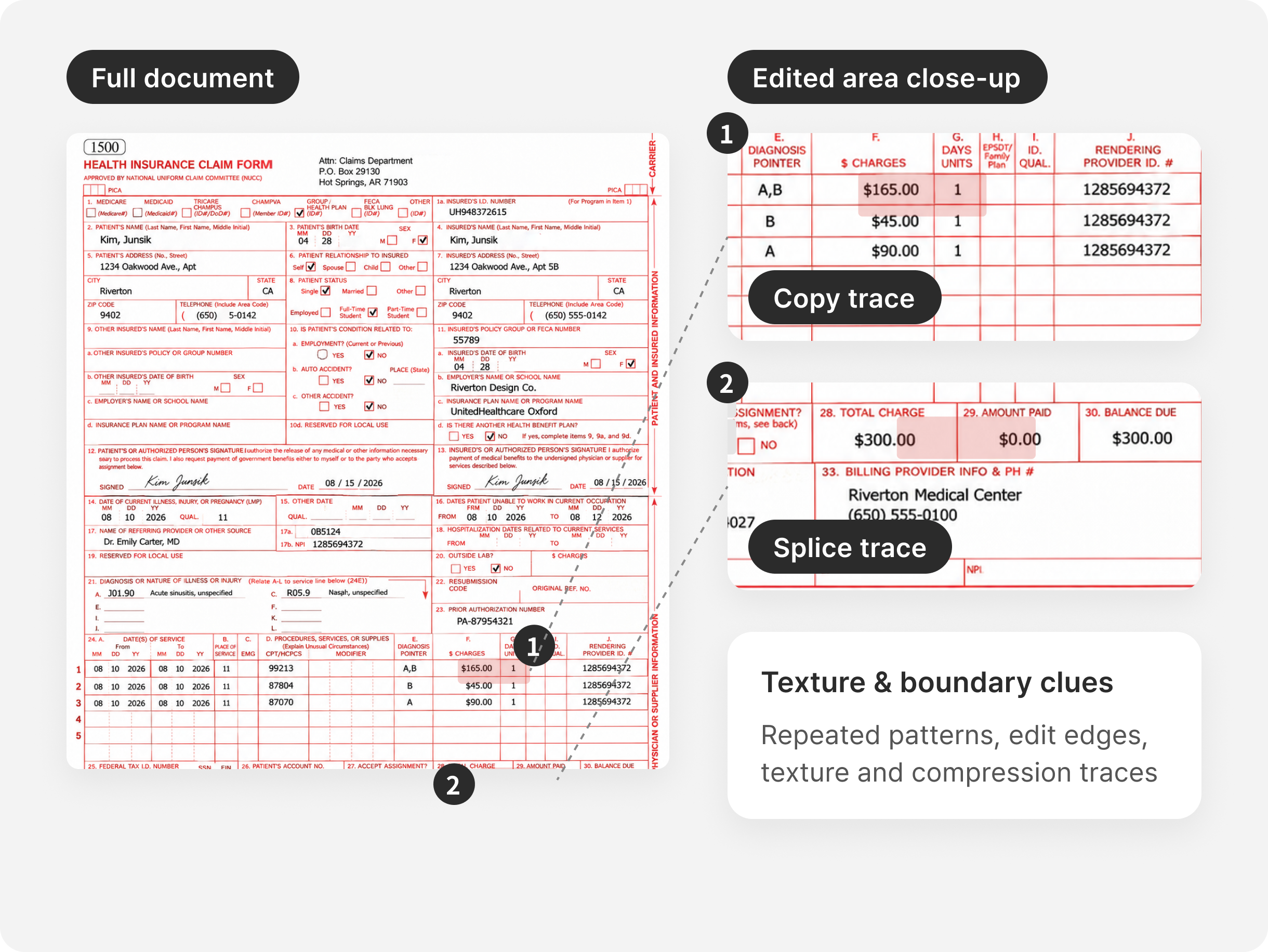
Image forensics
Find copy-and-paste traces
in textures and boundaries
Copies or composites may alter texture, edges and compression traces. Analyze pixels and patterns for edits that are easy to miss by eye.
Scope
Copied, spliced or edited images
Key clues
Repeated patterns, edit edges, texture and compression traces
How to use
Help compare suspect areas with originals or supporting evidence.
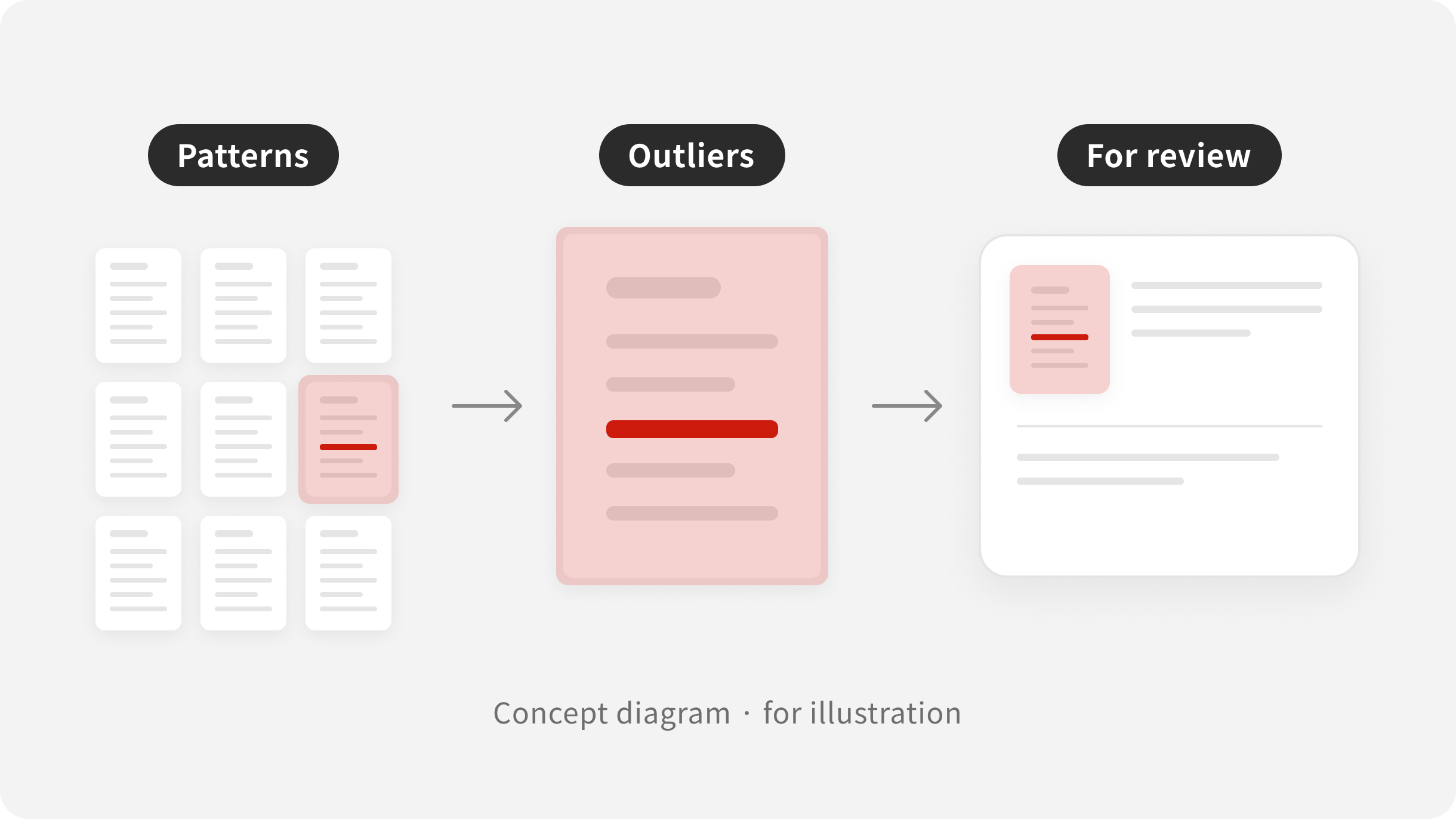
Anomaly detection
Find anomalies beyond
familiar document patterns
Learn statistical document patterns and flag deviations as possible forgeries, complementing edit-trace analysis to support document review.
Scope
Statistical document patterns
Key clues
Signals outside learned patterns
How to use
Flag possible forgeries for further analysis and review.
Metadata verification
Check a document's appearance and
its file history
Cross-check creation and edit history, file format and camera data retained in files to add context to image-based forgery analysis.
Scope
Creation, editing and device data available in the file
Key clues
Editing software traces and file data that need cross-checking
How to use
Provide supporting evidence to review alongside suspicious image signals.
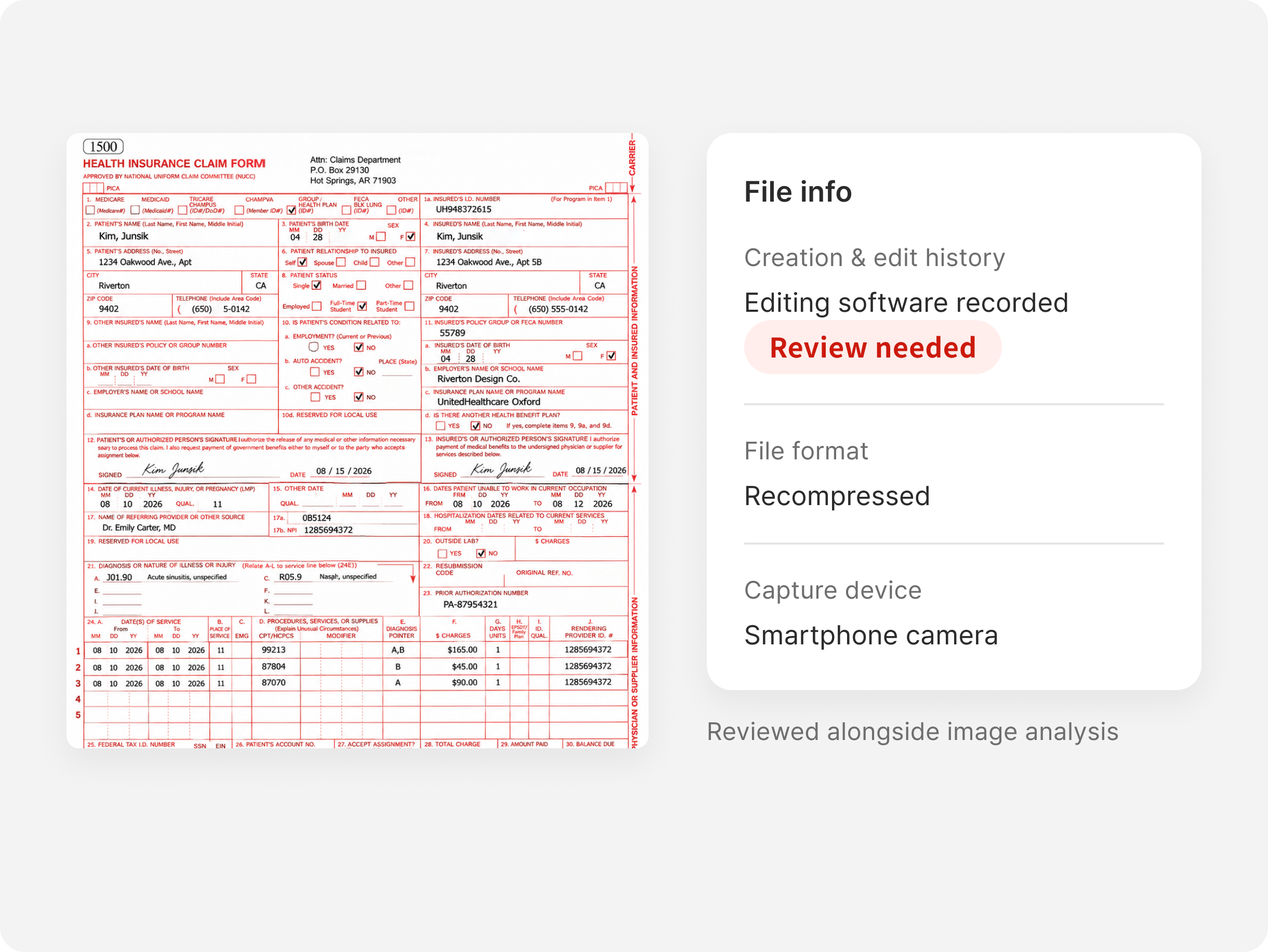
See forgery flags and areas to review on one screen
Analysis results and related clues help reviewers compare submitted documents and identify areas for further review.
USE CASES
Check submitted documents from claims to business payments
Analyze pixels and patterns in varied contracts and supporting documents. Expand use through document-specific training and deployment reviews.
Insurance
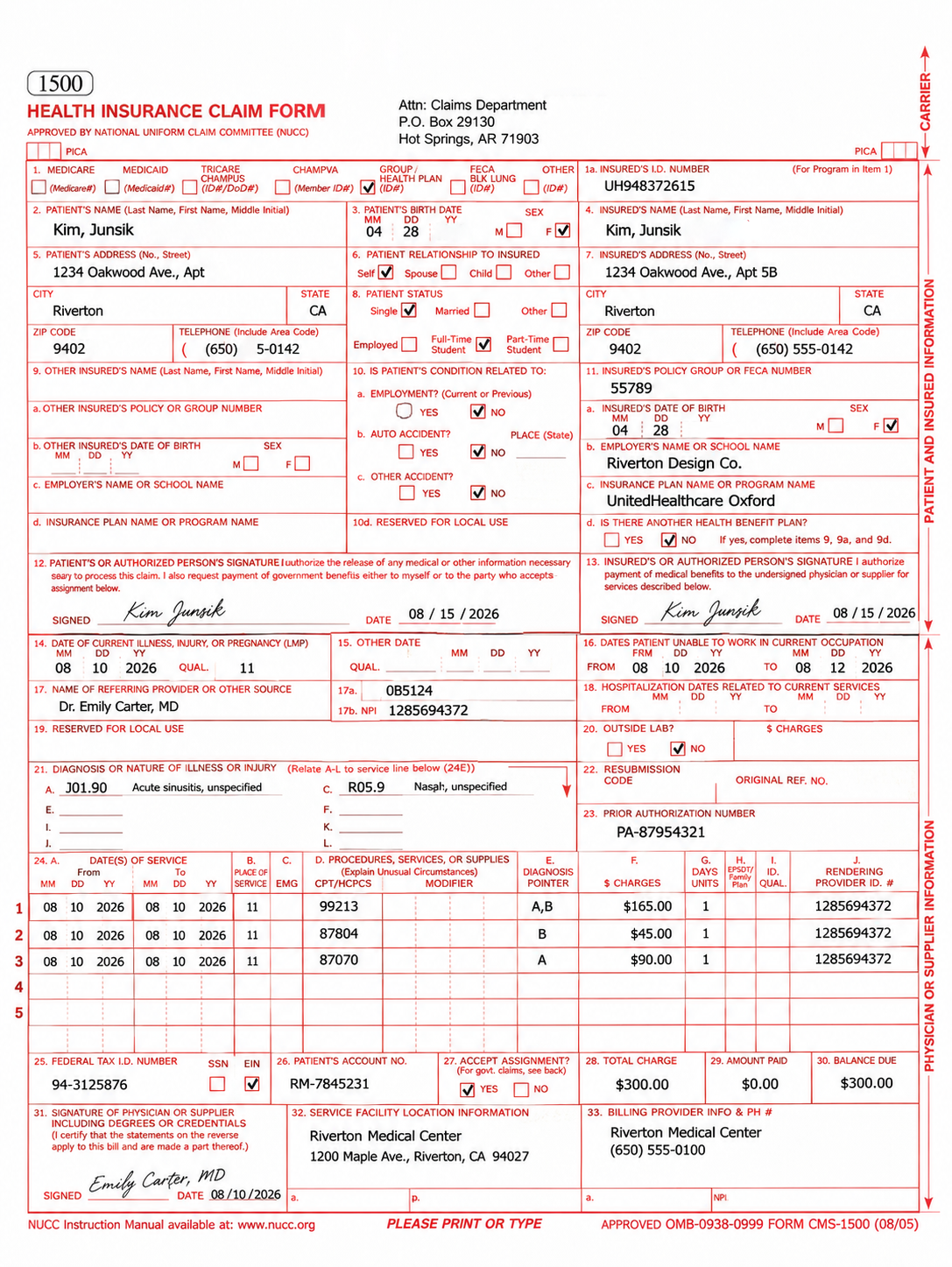
1
2
Insurance Claims Process
Documents
Claim evidence, including medical certificates, medical expense receipts and handwritten consent forms
Review focus
Suspected traces of AI generation or modification, partial edits, copying and compositing
Workflow
01
Receive claim documents
02
Analyze documents
03
Review flagged documents
04
Need more evidence?
SECURITY & INTEGRATION
Connect to your environment and existing work systems
Supporting on-premises and API integration, we align data workflows and result utilization to your review process.
Your system environment
Document intake system
API link
→
[주고받는 정보]
NoriS analysis
API link
→
[주고받는 정보]
Staff review

On-premises deployment
We support on-premises deployment to analyze documents within your own environment.

Connect to existing systems
Connect analysis to intake and review systems via API. Together, we assess how to use results in your existing workflow.

Aligning on data Processing Scope
Agree document scope, routes, retention, deletion and access to suit deployment and security needs.

Discuss detection performance for your documents and work
Share your documents and review process. We'll advise on scope, performance testing and deployment.
Deploy & PoC inquiry


4F, O2 Tower, 83, Uisadang-daero, Yeongdeungpo-gu, Seoul, 07325, Rep. of KOREA · 460-86-02581
© 2026 NoriSpace Co. Ltd All Rights Reserved


Contact Us
NoriS | Document Forgery Detection Solution
Trace document fraud, even generative AI forgeries
Assess suspected tampering using creation and editing traces, unusual patterns and file metadata.
Deploy & PoC inquiry
96.61%
Document Forgery detection F1
Sample screen
Even flawless-looking files can carry traces of Forgery
Generative AI creates realistic text and images with precise edits. Look beyond content and format checks to examine document creation and editing traces.
Fraudulent documents that look real
Generative AI makes documents so convincing that appearance alone may not reveal a fake.
Recapture, compression: lost clues
Recapture and compression change images and file data, making tampering harder to spot.
OCR and fixed rules are not enough
Checking only text and format can miss subtle traces of copying and compositing.
CORE TECHNOLOGY
From AI traces to anomalies, four methods inform review
Combine generative AI detection, Image forensics, Anomaly detection and Metadata validation to assess forgery signals, not just a single clue.
Generative AI detection
Spot AI forgery patterns
in realistic-looking files
Analyze frequency and noise traces from creation or editing for signs of possible AI generation.
Scope
AI-created or edited document images
Key clues
Frequency and noise patterns from AI
How to use
Support further review with suspected AI generation findings and clues.
Image forensics
Find copy-and-paste traces
in textures and boundaries
Copies or composites may alter texture, edges and compression traces. Analyze pixels and patterns for edits that are easy to miss by eye.
Scope
Copied, spliced or edited images
Key clues
Repeated patterns, edit edges, texture and compression traces
How to use
Help compare suspect areas with originals or supporting evidence.
Anomaly detection
Find anomalies beyond
familiar document patterns
Learn statistical document patterns and flag deviations as possible forgeries, complementing edit-trace analysis to support document review.
Scope
Statistical document patterns
Key clues
Signals outside learned patterns
How to use
Flag possible forgeries for further analysis and review.
Metadata verification
Check a document's look
and its file history
Cross-check creation and edit history, file format and camera data retained in files to add context to image-based forgery analysis.
Scope
Creation, editing and device data available in the file
Key clues
Editing software traces and file data that need cross-checking
How to use
Provide supporting evidence to review alongside suspicious image signals.
See forgery flags and areas to review on one screen
Analysis results and related clues help reviewers compare submitted documents and identify areas for further review.
USE CASES
Check submitted documents from claims to business payments
Analyze pixels and patterns in varied contracts and supporting documents. Expand use through document-specific training and deployment reviews.
Insurance
1
2
Insurance Claims Process
Documents
Claim evidence, including medical certificates, medical expense receipts and handwritten consent forms
Review focus
Suspected traces of AI generation or modification, partial edits, copying and compositing
Workflow
01
Receive claim documents
02
Analyze documents
03
Review flagged documents
04
Need more evidence?
SECURITY & INTEGRATION
Connect to your environment and existing work systems
Supporting on-premises and API integration, we align data workflows and result utilization to your review process.
Your system environment
Document intake system
API link
→
[주고받는 정보]
NoriS analysis
API link
→
[주고받는 정보]
Staff review
On-premises deployment
We support on-premises deployment to analyze documents within your own environment.
Connect to existing systems
Connect analysis to intake and review systems via API. Together, we assess how to use results in your existing workflow.
Aligning on data Processing Scope
Agree document scope, routes, retention, deletion and access to suit deployment and security needs.
Discuss detection performance for your documents and work
Share your documents and review process. We'll advise on scope, performance testing and deployment.
Deploy & PoC inquiry
4F, O2 Tower, 83, Uisadang-daero, Yeongdeungpo-gu, Seoul, 07325, Rep. of KOREA · 460-86-02581
© 2026 NoriSpace Co. Ltd All Rights Reserved